1
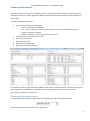
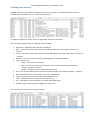
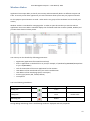
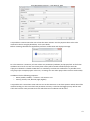
Time Management Expert – User Manual, 2015 Introduction We live in the time when word «Efficiency» becomes more and more popular and frequently used in everyday life. The economic crisis, high competition, company profit reduction lead to the need to take into account and monitor how and what we do, how effective we are and find out our unnecessary spends. One of the most important parts of our life is time, in any of its manifestations. Time is precious in our lives and nothing can stop it, turn it back and we can’t buy it. But time is money. Not efficient use of time can lead to unforeseen expenditure in the business, missed projects deadlines and failed contracts. And if you do not supervise under your time and do not take action project will be out of control and the risks will be increased dramatically. Therefore, it is time to start to control the time and work efficiently. Let’s do it. Application Possibilities Application Time Management Expert (TME) intended for automation of the time management and project management processes. It is used for audit and analysis of the spent time, save your time and makes work easier, especially if you work with project management systems (Atlassian JIRA). And as result it improves job efficiency, decrease unreasonable time spends and increase company income. It is used for following functions: Inspection of the user activity on the computer, based on information: o Activity type (Active, Out of desk, Locked PC, PC is off) o Active application o Activity start time, finish time and its duration o Window title of the active application for the moment o URL addresses of the visited by user site and pages if application is web browser (Internet Explorer, Firefox) Storing user activities chronology on PC Projects and Tasks support Classification of the user activity related to task and project o Automatically (based on special rules which are ready for use and can be customized) o Manually by user Provides time usage reports by different types o By activity types o By projects o By tasks o By applications o By visited web sites Integration with external Project Management Systems (PMS), Atlassian JIRA. o Projects and Tasks synchronization from the Atlassian JIRA o Perform logging of the work per tasks into the Atlassian JIRA o Logging work notification in specified time 3