1
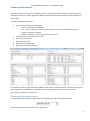
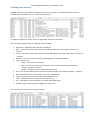
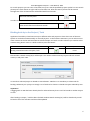
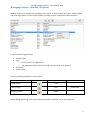
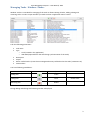
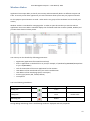
Time Management Expert – User Manual, 2015 Summary information The main and first window that is displayed to user is summary information window. It displays summary information about user activity grouped by different parameters for selected time period (by default it is current day). It contains following information: Total information by user activity type o Active – User works on computer o Idle – User is inactive for at least 1 minute (there is no mouse and keyboard activity) o Locked – Computer is locked o Offline – Computer is Off or application is not started Last Activities for selected period of time Spent time per Projects Spent time per Tasks Spent time per Applications Spent time per visited Web sites This window contains 6 square blocks for different total reports: Total Information, Last Activities, Projects, Tasks, Applications and Web sites. Each block has information about spent time per item and its percentage comparing to all spent time. Choose time period for report You can choose time period for reports which are displayed for user in below date element. Selected date is global for all reports in the application. 4