1
3. Gameplay
3.1. Calibration
If it has not been done already, press “Start Calibration” and follow the instructions in step 5 of section
2 before attempting to play the game.
Then, you can change the ratio of the angle of rotation of the tetromino to that of the brick by entering
an integer between 1 and 4 in the “Rotation Speed” field. For example, a value of 1 represents a direct
mapping, while the default ratio of 4 maps a 90 degree tetromino rotation to a 22.5 degree brick
rotation. This is analogous to a car’s transmission where higher ratios correspond to higher speeds.
3.2. Selecting / Deselecting a Tetromino
In the beta system only, selection is done with the keyboard (space bar for the first player, and either
shift keys for the second player). In future versions, selection and deselection with the brick will be
available.
3.3. Translation
First select the tetromino. Then, move the brick to the desired location and the tetromino will follow
your movements. Note that the tetromino will not move UP.
3.4. Rotation
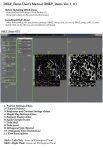
First select the tetromino. Then, rotate the brick in the desired direction to rotate the tetromino.
Depending on the rotation speed ratio used in section 3.1, the tetromino will rotate correspondingly, as
can be seen below:
3.5. Practice Mode
To practice the above, click on the "Practice” button. Follow the instructions through a series of
practice tasks.
3.6. Starting / Pausing a Game
Click on the "Start” button. Three tetrominoes will start falling and you may use the brick to play. You
may pause the game at any time by clicking on the "Pause” button.
3.7. Exit
To exit the game, press the “Exit” button.