1
Note on Daylight Saving Time
Your unit is already configured for new Daylight Saving Time. If for any reason the time on
your DVR is wrong, please contact your Loss Prevention Manager for help. Do not attempt
to change the system time yourself.
Logging In & Passwords
The SRX-Pro video-recording software should be open and running at all times, but if it is
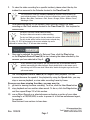
closed, go the Desktop and double-click the SRX-Pro Server icon:
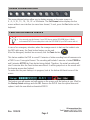
To log into the SRX-Pro Server, do the following:
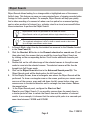
1. Enter your assigned User Name and your assigned Password in the login
window.
Use Virtual
keyboard
if necessary
2. Click Login or press Enter on your keyboard to continue. The Main Screen will appear.
Live/Search/Setup mode
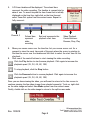
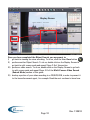
The following buttons allow switching between Live, Search and Setup modes:
Live Mode - Allows viewing the live video.
Search Mode - Allows searching recorded video.
Setup Mode - Allows configuring SRX-Pro Server settings.
Page 2
Rev. 130618