1
0L40-07R
Installation/Settings Problems
See
Common Problems also.
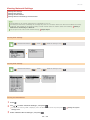
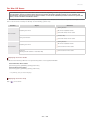
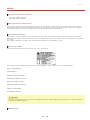
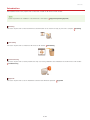
Icons in the description
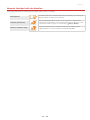
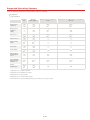
Problem with the wireless LAN connection
Problem with the wired LAN connection
Problem with the USB connection
The machine cannot be connected to a computer via a wireless LAN, a wired LAN and a USB cable at the same time.
All three connection types cannot be used at the same time. The following can be used at the same time: a USB cable and a
wired LAN, or a USB cable and a wireless LAN.
Remote UI is not displayed.
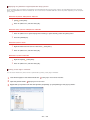
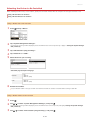
Are <Use HTTP> and <Use Remote UI> set to <On>?
Disabling HTTP Communication
Disabling Remote UI
If the machine is connected to a wired LAN, check that the cable is connected firmly and the IP address is set correctly, and
then start the Remote UI again.
For how to check, see "Getting Started"
Manuals Included with the Machine or
Viewing Network Settings.
If the machine is connected to a wireless LAN, check that the settings are specified correctly, and then start the Remote UI
again.
For how to check, see "Getting Started"
Manuals Included with the Machine or
Connecting to a Wireless LAN.
A connection to a network cannot be established.
The IP address may not be set correctly. Set the IP address again.
Setting IP Addresses
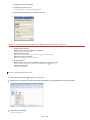
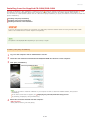
When you connect the machine to a computer via wireless LAN, check whether the machine is properly installed and ready to
connect to the network.
When the machine cannot connect to the wireless LAN
You are unsure of the set IP address.
Viewing Network Settings
The connection method cannot be switched between a wired LAN and a wireless LAN.
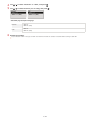
Did you select a wired LAN or a wireless LAN on the operation panel on the machine as well? This selection is required to have
the machine switch to your selection.
Selecting Wired LAN or Wireless LAN
You are unsure of the SSID or the network key of the wireless router to be connected. The SSID is not displayed on the
screen.
Check whether the SSID can be found on the wireless router or package box.
Check the SSID or the network key of the wireless router by using Canon MF/LBP Wireless Setup Assistant.
Checking the SSID and Network Key
The SSID of the wireless router to be connected is not displayed in the access point list.
Check whether the SSID is correct.
Checking the SSID and Network Key
If the SSID of the wireless router is hidden (using a stealth mode * ), set the SSID to be visible on the wireless router.
* A mode that disables the SSID auto-detection of other devices.
Check whether the machine is properly installed and ready to connect to the network.
When the machine cannot connect to the wireless LAN
The machine dials up to an unintended connection destination (if a dialup router is connected to a network).
If a dialup router does not need to pass broadcast packets, set the dialup router so that the broadcast packets will not pass. If
the dialup router needs to pass broadcast packets, check whether the settings are correct.
If a DNS server is located in an external network, set the IP address to be connected, not the host name, even if connecting to
the devices that are on the network that is connected to the machine.
㻞㻢㻝㻌㻛㻌㻟㻟㻢