1
Contents
10.7.2 Clearing Several Outputs
10.7.3 Clearing All Outputs
30
31
10.8
Storing and Recalling Setups
32
11
11.1
11.2
11.3
MENU Commands
Locking and Unlocking the Front Panel
Choosing the Follow or Breakaway Mode
Choosing the SWITCHING METHOD Setting
34
35
36
38
11.4
11.5
11.6
11.7
11.8
11.9
11.10
11.11
12
12.1
12.2
13
14
Choosing the Extended Keyboard Setting
Setting the STORE/RECALL KEYBOARD Mode
Choosing What to INDICATE
Choosing the COMMUNICATION Setting
Setting the IR REMOTE Control
Choosing the AUTO STORE Current SETUP
Identifying the MACHINE
Choosing the Initial RESET
Flash Memory Upgrade
Connecting the PC to the RS-232 Port
Upgrading the Firmware
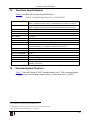
Technical Specifications
Communication Protocol
40
40
41
42
43
43
44
45
46
46
46
49
49
10.8.1 Storing Setups
10.8.2 Recalling Setups
32
33
11.3.1 Understanding the SWITCHING METHOD Settings
11.3.2 Configuring a SWITCHING METHOD
ii
38
39
KRAMER: SIMPLE CREATIVE TECHNOLOGY