1
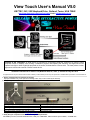
(If no CD-ROM available, download the driver at http://www.magictouch.com/ViewTouch-download.html.)
4. Installation procedures
Uninstall previous View Touch (if any) from add/remove program in
control panel before attempting to install the new revision.
4.1 Software Installation
4.1.1 DO NOT plug in light sensor before finishing the software
installation. Insert installation CD into your computer’s CD-ROM. If the
installation does not start automatically, run setup.exe from CD-ROM
drive. Windows InstallShield Wizard will start.
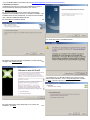
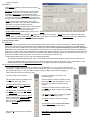
4.1.2 Click Next in InstallShield Wizard.
>>>
<<< 4.1.3 Click Install in InstallShield Wizard.
4.1.4 When prompted by Windows compatibility or security warning
message, click Continue Anyway.
>>>
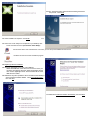
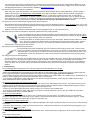
<<< 4.1.5 If there is no DirectX installed in the system, the setup
wizard for DirectX will start. Check I accept the agreement, and then
click Next. If DirectX is already in the system, go to step 4.1.8.
4.1.6 The DirectX setup wizard will prompt you to continue the
installation. Click Next.
>>>