1
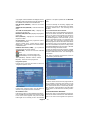
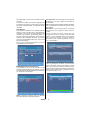
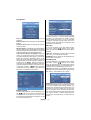
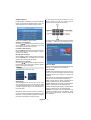
• Channel number • Name of the channel PR+ / PR – (CHANNEL NAVIGATION ) There are two ways to navigate through the channels: • Pressing PR +/ PR - keys will take you to go to the next or the previous channel in the list. • Pressing a number key will activate a small digit entry window on the left upper corner of the screen. After a digit is entered, the box will stay for 2 seconds while you enter another digit. If no digit is entered during these 2 seconds, then the box will switch to the entered number channel.If a number that is greater than the maximum number of channels is entered, the box will switch automatically to the last channel. • Press OK button to display the channel list. Volume Control The volume level of the sound from the receiver can be altered with the VOL+ and VOL- keys on the remote control handset. Pressing either key displays a bar graph of the sound volume on the TV screen. The volume level selected will remain set, even when the receiver is turned off and on again, until it is altered with VOL + and VOL - keys.The audio volume adjustment for the receiver is independent of the volume control on your TV set. Be careful that both volume controls are kept within reasonable levels so that when switching from analogue to digital television viewing, or when rst turning on your TV set, the sound level is not too high. You can silence the sound from the receiver by pressing the MUTE key. The sound remains muted until the MUTE key is pressed again, the VOL + or VOL- keys are pressed. While the sound is muted in this way, the mute symbol is displayed in the top left of the TV screen. The symbol is removed after 3 seconds, but the sound will remain muted until the MUTE key is pressed for the second time and the mute symbol will display for 3 seconds. Time Shifting(Pause Live Recording) Pause Live Recording is a feature that enables you to pause a live broadcast if, say the phone rings you can go back to the same spot that you were at when you left. The live broadcasting can be stopped any time. Press PAUSE button to suspend the broadcasting. In the INFO banner the timeshift will comence. The duration of Timeshift can be adjusted from Recordings in the Conguration menu (See 5.1.RECORDINGS). In order to stop the timeshift press PLAY, PAUSE or OK button. The paused recording can be watched in different speeds by or keys. To terminate the Pause means of Live Recording press button. TEXT Many digital terrestrial television channels not only broadcast pictures and sound for programmes but also pages of information on the programmes, the weather, news and many other topics. This digital teletext can be displayed by the receiver.Some channels are entirely given over to digital teletext and carry no normal TV programme at all. These dedicated digital teletext channels will not give a quarter-screen image in the EPG or the Channel List screen. When such a channel is selected, after a brief pause, they will usually display the opening page of information automatically. Other channels have digital teletext pages broadcast alongside the television programme and often include a reducedsize broadcast picture within digital teletext pages. These usually require the TEXT button to be pressed to activate the digital teletext pages.In both cases, moving through the different pages of information is accomplished in a variety of ways, dependent on the individual broadcasters, but including use of the “ ”/“ ”/“ ”/“ ” and [OK] keys to select items from onscreen menus, and the coloured keys to jump directly to particular pages. You can exit teletext mode by pressing the TEXT button on the remote or by changing channel. Also if you call for the INFO bar or bring up a menu you will temporarily enter TV mode returning to TEXT mode when you cancel the menu or INFO bar. You can exit any digital teletext channel by changing channel in any of the normal ways. You can leave the digital teletext function of a combined digital teletext/ programme channel, to return to normal television viewing of that channel, by pressing the TEXT key. Calling for the information banner or any menu onscreen stops the receiver from displaying the digital teletext pages and they are temporarily replaced by a blank picture while the banner or menu is displayed. Digital teletext cannot be accessed when the Subtitles are enabled. English - 19 -