1
Contents
Contents
1
2
3
4
5
6
7
8
9
Introduction .................................................................................................................... 5
1.1
Task of software..................................................................................................... 5
1.2
System requirements ............................................................................................. 5
1.3
Devices .................................................................................................................. 5
1.4
About the User Manual .......................................................................................... 6
1.5
Customer support .................................................................................................. 7
Installation...................................................................................................................... 8
Starting IZAR@SET ......................................................................................................10
3.1
Starting the software and logging in ......................................................................10
3.2
Authorization levels...............................................................................................10
Connecting devices to IZAR@SET................................................................................12
4.1
Setting up a Bluetooth connection.........................................................................12
4.2
Setting up a Bluetooth connection with USB Bluetooth stick .................................15
4.3
Setting up a connection with serial opto head .......................................................17
4.4
User preferences ..................................................................................................19
4.4.1 Device configuration..........................................................................................19
4.4.2 Help ..................................................................................................................21
4.4.3 Communication .................................................................................................23
4.4.4 Security.............................................................................................................23
4.4.5 Language setting...............................................................................................25
Setting up IZAR@SET ..................................................................................................26
5.1
IZAR@SET user interface.....................................................................................26
5.2
Menu bar...............................................................................................................26
5.3
Toolbar .................................................................................................................28
5.4
Tab cards..............................................................................................................30
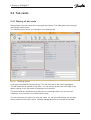
5.4.1 Display of tab cards...........................................................................................30
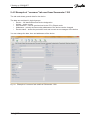
5.4.2 Example of “common” tab card from Sonometer 1100.......................................31
Configuring devices.......................................................................................................32
6.1
Input aids ..............................................................................................................32
6.2
Configuring a device .............................................................................................32
6.3
Working with profiles.............................................................................................34
6.3.1 Creating a profile...............................................................................................34
6.3.2 Apply profile ......................................................................................................34
6.3.3 Delete profile.....................................................................................................35
6.4
Changing devices .................................................................................................35
6.5
Ending configuration .............................................................................................35
Help ..............................................................................................................................36
Legal notices .................................................................................................................37
8.1
Licence contract....................................................................................................37
8.2
Third-party licences...............................................................................................40
Sonometer 1100............................................................................................................41
9.1
Features of Sonometer 1100.................................................................................41
9.1.1 Calculator..........................................................................................................41
9.2
Reading and configuring Sonometer 1100.............................................................42
9.2.1 Connecting Sonometer 1100 to IZAR@SET ......................................................42
9.2.2 Common tab card..............................................................................................42
9.2.3 Tariffs tab card ..................................................................................................43
9.2.4 Due date tab card..............................................................................................47
9.2.5 Display tab card ................................................................................................48
9.2.6 Maximum and Average Values tab card............................................................50
9.2.7 Pulse Output tab card .......................................................................................52
9.2.8 Pulse Input tab card ..........................................................................................52
IZAR@SET
3