1
Introduction
What is the HYDRO-CENTER 2 Software anyway?
The HYDRO-CENTER® range of M-Bus repeater / data logger is used to build up M-Bus networks for
reading resource meters, like electricity meters, heat meters, water meters and more. With the
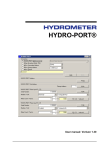
accompanying HYDRO-CENTER 2 software the user is able to set the parameters of a HYDROCENTER, create a device list for automatic data logging, perform an M-Bus device search and many
other things.
The HYDRO-CENTER 2 software may be used free of charge, but only in conjunction with a HYDROCENTER M-Bus repeater or data logger.
The HYDRO-CENTER 2 software runs with Windows® 2000 / XP.
System Requirements
The HYDRO-CENTER 2 software runs on a Pentium class PC computer with at least 256 MByte of
free memory, Windows® 2000 / XP and approx. 50 MByte free hard disk space. Additionally, a free
serial interface port must be available.
For establishing a remote connection a standard AT-command modem with serial interface must be
available for your PC.
Software Installation
Insert the storage media containing the installation file of HYDRO-CENTER 2 into your PC (disk or CDROM). Start the installation file (HYDROCENTER2_Installation.exe).
Example (D:\ is the CD-ROM drive):
Start->Execute
D:\HYDROCENTER2_Installation.exe
The automatic installation proceeds. During the installation you are able to select the installation
directory. The default setting of “c:\program files\hydrometer\” is recommended.
Start the HYDRO-CENTER 2 software: Start->Programs->HYDRO-CENTER 2
Alternatively, you may also double-click the program icon on your Windows® desktop.
4
HYDRO-CENTER 2
Introduction