1
first extra sequence code. This allows added flexibility when using this global entry feature for
SEQUENCES.
>VOLADDITIONALS Values Now Allowed to be Negative.
The entry or computed values for VOLADDITIONALS is now allowed to have negative values,
with a complete input range permitted from -9999 to 9999. This is primarily to afford the
possibility of re-assignments of traffic to result in a net reduction of volume for individual
movements, either by manual entry or computations from SITE. In the case of SITE, this also
means that ROUNDing of results can create small negative VOLADDITIONALS in locations
that receive little or no new traffic and where final volumes are rounded down (this is appropriate
and to be expected).
>LinkTo followed by Another LinkTo Performs Properly.
Multiple LinkTo operations can now be performed smoothly under all conditions without
limitation. Previously it was observed that under certain conditions, one LinkTo followed by
another LinkTo could cause certain problems successfully connecting to the next desired
program.
>Better Graphics for Phasing Display and Bitmap Buttons.
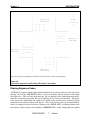
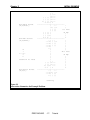
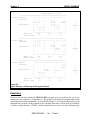
The arrows used to represent phasing in various dialogs have been improved in quality and
appearance, and if timings for phasings are defined by-movement instead of by-phase, the bymovement phasing diagrams are now shown in every relevant dialog. In addition, the pan and
zoom button bitmaps within the View-Network display have been improved for better clarity.
>Option to Select Pages to Print; Page 0 for Current Page.
An option has been added to the Print-Setup dialog which allows the selection of specific pages
to be printed instead of always printing all pages in the output window. Selection of page 0 will
print only the current output page (the page which contains the insertion point cursor).
>View-Network Works Without Defined Network Distances.
Previously it was not possible to perform the View-Network function unless all NETWORK
distances had been entered. This was due to the function's attempt to establish a scale factor
between the network distances entered and the potentially arbitrary coordinate system used.
Now, if distances are not entered, View-Network simply assumes the scale factor is 1.
>Warnings Issued If Too Many Characters Entered or Number Too Large in an Input Field.
If a user enters more characters in a dialog's input field than the dialog expects or can process, a
warning is now issued and the entire entry is ignored, rather than just ignoring the extra
PRESYNCHRO
H-255
Reference