1
J74 BassLine - User Manual
Page 3 of 20
Start-up and Modes of Operation
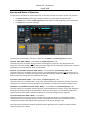
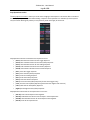
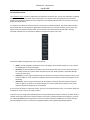
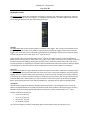
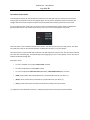
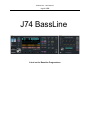
To open the tool, and define the mode of operation, use the device controls on the little "docked" user interface:
•
•
•
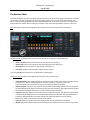
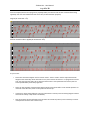
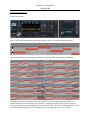
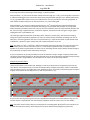
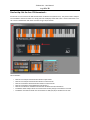
The [Bass-Line Editor] button opens the BassLine Editor, as shown below and explained next.
The [Mode] menu and the [Linked Progressive] switch define the mode of operation (see further below)
The [Help] button opens the help page
The device has several modes of operation as defined by the [Mode] and [Linked Progressive] controls:
1) Linked - Editor Mode: [Mode] = “Editor Mode” & [Linked Progressive] = ON
J74 BassLine operates as an editor and synchronizes to J74 Progressive (if present). Any change made in J74
Progressive to the scale settings (root and scale) and to the progression are automatically synchronized. If you press
[Start/Stop] on any of the tools, the action is synchronized.
2) Linked - Live Standalone Sequencer Mode: [Mode] = “Live Standalone” & [Linked Progressive] = ON
J74 BassLine works as a standalone real time sequencer, generating MIDI notes in output and synchronizes to J74
Progressive (if present). Any MIDI note in input to the device will be silently dropped in this mode of operation. All
features except the Leading Notes are supported in this mode.
3) Unlinked - Editor Mode: [Mode] = “Editor Mode” & [Linked Progressive] = OFF
J74 BassLine works as a standalone editor, using its own scale and progression information, and does not check if
J74 Progressive is present in the liveset. All features and techniques on J74 BassLine are further available for use.
4) Unlinked - Live Standalone Sequencer Mode: [Mode] = “Live Standalone” & [Linked Progressive] = OFF
J74 BassLine works as a standalone real time sequencer, generating MIDI notes in output, using its own Scale/Root
and Progression Matrix settings. No synchronization is done with J74 Progressive. In this mode any MIDI note in
input to the device will be silently dropped and all features except the Leading Notes are supported.
5) Live Chords Sequencer Mode: [Mode] = “Live Chords”
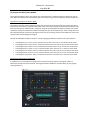
J74 BassLine works as a real time sequencer and follows the chords detected by the “J74 ChordDetect.amxd”
companion device (also included in the pack). Put the “J74 ChordDetect.amxd” on the track where chords are
received and J74 BassLine will adapt the bass sequence to the chord tonic, playing in tune.
More information regarding the modes of operation (and the applications they are made for) will be provided
further through this user manual.