1
J74 BassLine - User Manual
Page 2 of 20
About J74 BassLine
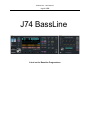
J74 BassLine is a Max for Live MIDI plug-in specialized in bass line progressions.
They key idea behind this device is to have a powerful tool which combines both rhythm and harmony together.
In terms of rhythm, which is key for bass parts, J74 BassLine makes use of performance tricks such as groove,
swing, legato, glide, accent and humanize dynamics. Programming is done through a simple user interface, based
on concepts well known to electronic musicians, such as step sequencing, effect knobs and probabilistic variations.
From the harmony point of view the tool works having knowledge of scales, chords and progressions, and combines
these with the rhythmic pattern creation: the generated bass-lines get transparently and automatically adapted to
the progression, on a chord by chord, tonic by tonic basis, remaining in-key to the selected scale (if you wish it to).
This works at its best when J74 BassLine is combined with J74 Progressive (another J74 tool set, available at
http://fabriziopoce.com/progressive.html), in what is called “Linked Mode”.
Using the two tools together you have an integrated environment for chord progressions programming and for
bass-line production at the same time. In “Linked Mode” the progressions created in J74 Progressive, as well as the
selected scale information, are automatically synchronized to J74 BassLine. J74 BassLine will consequently produce
bass-lines which follow the scale and chords of the progression, with harmonically consistent results.
Harmonic integration goes further then note adaptation. The tool uses the concept of intervals (thirds, fifths,
octaves, etc) and allows you to add leading notes in the bass-line too (notes which lead to the next chord), giving
your progression a driving musical feel which is peculiar to bass parts.
J74 BassLine can also work in three standalone modes. It can be used as a standalone bass-line editor (with its own
internally programmed progression), as a real-time bass sequencer (still using its internally defined progression, but
generating notes on the fly, without clips) or even as a slave device following chords from another track (extracting
the tonic to play the bass-line onto, in this case also generating notes on the fly).
How to Install the tool
J74 BassLine requires a Max for Live license for Ableton Live 9 to run (older versions of Live are not supported).
Installation is actually quite easy: just unzip the download pack, copy the files to your computer hard drive and you
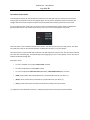
are ready to go. To start the tool drop the “J74 BassLine.amxd” plug-in device on any MIDI track in the Ableton Live
liveset.
Note: BassLine operates on the Session View only (meaning that only MIDI Clips in the Session View can be created).
This limitation is not very restrictive: it is very easy to make a copy of a MIDI clip from the Session view into the
Arrangement View by just drag it over or by global recording and clip triggering.
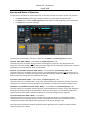
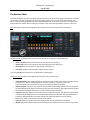
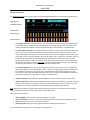
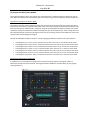
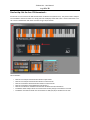
Let's now go through the user interface of the tool, explaining what each command and function does.