1
Let DynaSCAPE Assist You
1. Online Help
5. The DynaSCAPE User’s Guide
Website address: www.dynascape.com
If a User's Guide did not come with your software
purchase, you can acquire the DS|Design User’s Guide
as a hard copy by calling (1-800-710-1900). You can
also download an electronic copy for free.
Visit our website and click on ‘Support’ for all the
online help available to you including Discussion Forums, FAQ’s and downloads. The Discussion Forums
are an excellent resource for asking questions and
finding answers.
2. Email
Email address: support@dynascape.com
3. Phone
1.800.710.1900 Ext 278
(Monday—Friday 9:00am—5:00pm
Eastern Standard Time, excluding
Canadian Holidays)
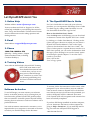
4. Training Videos
How to download the User’s Guide:
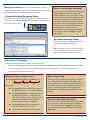
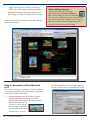
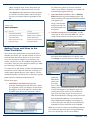
From the Help menu in DS|Design you can download
an electronic version of the DynaSCAPE User’s Guide
by clicking on ‘Online User Manual’. Clicking on this
option will open a browser in which you can choose a
DynaSCAPE Product Manual. Click on the ‘Open’
option to download and view the User’s Guide . The
User’s Guide opens in a separate browser window as a
PDF. Once opened, you can use the bookmarks to find
the topic you are looking for or use the ‘Search’ option
to find help for specific subjects. To save the User’s
Guide on your hard
drive, click on the
‘Save a Copy’ option.
Your software trial includes a DynaSCAPE Training
DVD. Take some time to view
these detailed instructional videos which show you how to use
many more of the DS|Design
tools. Learn how to use the various Drawing and Editing tool,
the Plant List Editor and much
more!
Software Activation
To use DS|Design you must activate your software
license. Activation protects you by ensuring that you
have licensed a genuine DynaSCAPE product rather
than a counterfeit. Activation protects DynaSCAPE by
ensuring that our software is used in accordance with a
purchased license.
You need an internet connection for activation, so it is
important that your computer is connected to the internet when you start DS|Design for the first time.
To activate, follow the instructions on the screen when
prompted. If your software fails to activate, either because it cannot connect to DynaSCAPE over the Internet or because its use is found not to be permitted, you
need to call DynaSCAPE for a Manual Activation
Code. DynaSCAPE will not operate until activation has
been successfully completed.
If you have DS|Design installed on another computer,
you can ‘deactivate’ the license on that computer by
going to Help > Deactivate... If you need help activating your software call DynaSCAPE Support at
1.800.710.1900 Ext 278.
Quick Start
3