1
Drop-in Commands
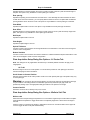
calibration (measured in pixels if you have not applied the Calibrate Distances command, or in calibrated
units if you have). User Specified allows you to specify the between-plane distance with the Z Step spin box.
X:Y:Z Units
Indicates the ratio between X, Y, and Z distances, as well as the units used. If the Calibrate Distances
command has not been applied, distances will be expressed in pixels.
Z Step
Specifies a step size for the between-plane Z-distance. This option will only appear if you select User
Specified from the Use Z Distance group.
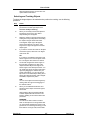
Line Length
Indicates the distance between the last measured pair of endpoints.
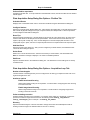
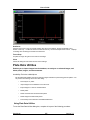
Preview Angle
Selects an angle of view for the wireframe Preview window. This view will also be affected by your selection
from the Rotation option button group.
Show Preview
Displays a wireframe preview of the measurement track in a separate Preview window.
Angle of First View
Sets the angle by which the first reconstructed view will be offset from zero degrees.
Angle of Last View
Sets the angle by which the last reconstructed view will be offset from zero degrees.
Angle Between Views
Sets the interval between adjacent views in the stack.
Rotation
Selects a direction (Horizontal or Vertical) for the wireframe rotation.
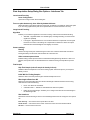
Build Wireframe
Creates a three-dimensional wireframe representation of the measurement track and displays it in a
separate Wireframe window.
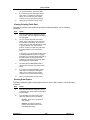
Undo Click
Removes the last point added. You can use this command button repeatedly to remove several points you
have just added.
Clear Data
Clears all measurements and removes the image overlay.
Log Total Line Only
When this option is selected, only the data for the entire measurement track will be logged. If you leave this
check box cleared, the distance data for each pair of points in the track will also be logged.
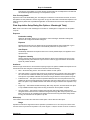
Open Log/Log Data
Opens a data log and/or a DDE link to an open spreadsheet application for logging data. This command will
change to F9: Log Data when a log file is open. Subsequently choosing the button or pressing the [F9] key
will save the distance measurement data for all currently displayed distance lines (distances, starting and
ending XYZ coordinates, elapsed time, etc.) in the data log. If you selected the Accumulated check box, all
distances measured for the image since the dialog box was opened, or since the you last chose Clear
Measurements, will be logged. If did not select Accumulated, only the last distance measured will be stored.
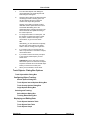
Configure Log
Opens the Configure Log dialog box so that you can select the parameters to be logged to the data log.
MetaMorph
434
Version 7.0