1
you recognize the incoming caller.
˙Turn off touch screen during call to save power: Temporarily turn off touch screen when
you are in a call.
Note: Answer Machine, Background Effects, and Phone Recording can be enabled
at the same time. However, while Answer Machine and Background Effects are active
during phone calls, Phone Recording won’t work.
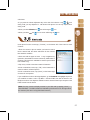
Select “ Start ” >【Settings】> and select Personal or System tab on the bottom of screen.
You may change the following settings:
˙“ Clock & Alarms ” : change time or set alarm.
˙“ Menus ” : personalize your Start menu by selecting the items to be shown in the menu..
˙“ My Information ” : input your contact information.
˙“ Password ” : restrict access to your data.
˙“ Power ” : extend battery lifetime.
˙Lock device when device enter stand-by : When the device enters Sleep mode, it will
automatically enable device lock.
˙“ Today ” : personalize “T oday Screen ” appearance and information. When you change
your Today theme in Today > Theme tab, your Today background, phone skin, and theme
color, will all change accordingly.
If you have already scheduled appointments in Calendar, job deadlines in Task bar, or
alarm setup in Clock & Alarms, then this device will alert you according to your settings.
You may select the following alert methods:
˙Display message dialog on screen
˙Play specified sound
˙Flashing
˙Vibration
If you want to select alert types and sounds, select “ Start ” >【Settings】> Personal tab >
34