1
Managing Your Phone
7. Managing Your Phone
7.1 Phone Settings
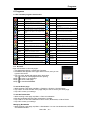
Tap Application Drawer > APPS tab > Settings to view and adjust the settings of your phone.
WIRELESS & NETWORK
Application
Description
SIM
Set SIM name, turn on/off SIM card, mobile network setting and call
Management settings, etc.
Wi-Fi
Enable/disable Wi-Fi. And set up and manage wireless access points.
Enable/disable Bluetooth. And manage connections, set up the name of
Bluetooth
the device and the discoverability of the device.
Enable/disable mobile network data. Measure mobile network and Wi-Fi
Data usage
data by your phone and display on chart.
More…:
Airplane
Enable/disable all wireless connections.
mode
VPN
Set up & manage Virtual Private Networks (VPNs).
Tethering &
Share your phone’s mobile data connection via USB or as portable
potable
Wi-Fi hotspot.
hotspot
Mobile
Set options for roaming, networks, APNs.
networks
DEVICE
Application
Call settings
Audio
profiles
Display
Lock screen
notifications
Wallpaper
Auto-rotate
screen
Brightness
Daydream
Font size
Sleep
Storage
Wireless
display
Description
Set up voice call, video call or other settings.
Set up your default ringtone of incoming calls and default notification.
Show notifications on lock screen.
Set up the wallpaper from gallery, live wallpaper, and wallpapers.
Enable/disable the screen direction automatically.
Adjust the brightness of the screen.
Enable/disable the screen protector program when the phone is docked
or sleeping.
Select the font size from the list.
Set up the screen timeout time.
View the storage usage of phone.
Enable or disable the wireless display.
PERSONAL
Application
Description
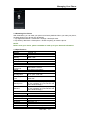
Location services:
Access to my
Let apps that have asked your permission use your location
location
information.
GPS satellites Let apps use GPS to pinpoint your location.
Wi-Fi & mobile Let apps use Google’s location service to estimate your location faster.
network
Anonymous location data will be collected and sent to Google.
location
Security:
Lock screen with a slide, face unlock, voice unlock, Pattern, PIN, or
Screen lock
password.
Owner info
Show owner info on lock screen.
Encrypt phone Require a numeric PIN or password to decrypt your phone each time
Roma R2| 7-1