1
Simple Paging Solution - User Manual
7.2.5
Print / Save
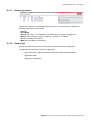
navigates to a view containing the device information, plus a freely editable column for
Installers' notes. This view can then either be printed, or saved as a .csv format fle, for
inclusion in the user's own installation documentation.
7.2.6
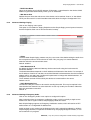
Web UI button
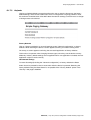
On each Device entry in the 'Discover Zones' view, there is a 'Web UI' button, which will launch
a browser session directly on the device's web interface, giving access to more advanced
confguration options for that specifc device, see chapter 8 “Device Confguration via Web
Interface“.
7.2.7
Set Groups button
Switches to the Set Groups view
7.3
Set Groups view
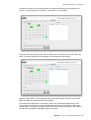
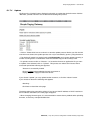
This view shows the Group confguration for a specifc Paging Master device. The Master can
be selected from the drop down list in the top left of the view.
•
On the left there is a matrix representing 128 Zone IDs under the heading “Target Zone
IDs”.
•
Above the matrix is a series of tabs, one for each of the Paging Groups supported by
the device. Zone IDs assigned to the current Group are indicated by a tick in the
matrix.
•
On the right is a box displaying details of the members of the currently selected Group
•
Underneath the matrix, the keyboard layout for the current Master is shown.
BARIX AG | 1. Apr. 2015 | Simple Paging Confguration Tool features | Page 21/35