1
Chart 3 --buttons
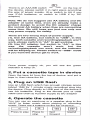
Once you press the play button, the cassette player
start to work, you can see the wheel running through
the small window, you can set the volume to a level
*
you tike by use rotary switc, m , you may hear
the playing music now, then let's start next step -recording (converting).
5, Playback
The device with playback function so you can easily
checking the recorded file.
Note: You may feel the music volume level of
playback is smaller than cassette playing, don't
worry it, as the actual level of recording MP3 is
norrnal, we just set a little down the playback level
for save energy. You will find it is good when you
playback the MP3 of your computer or mobile
multimedia device ( like iPod, mobile phone)
5, Recording
At standby mode, press playback button Dll , 0"u,""
will start to play the recording music, the indicator
will be slow flashing. Press playback button again,
will stop playback and back to standby mode. During
ptayback, use up/down
button
A V
play previous or next file. Use
*/-
to choose
oroon to set
volume up and down.
Charter 4
-- Recording
panel
--
--
-lI
t
I
i
I
When the cassette playing and an USB flash is
connecting, and the device is under standby mode
(indicator keep on ), just simply press the recording
(.il )
button
then the device will start to recording
(converting) the playing music to MP3 format, the
indicator will be quick flashing (if not, means not
recording, re-plug your USB flash and try again) .
Press the recording button again to stop recording
and save a MP3 file in USB flash. During recording
Q&A
Q1, Press recording button, nothing
happens,
indicator keep on.
A: There are 3 possibilities for this problem:
1, USB flash connection problem----solution : just
re-plug and try again
2, USB cable wrong connection, see chart 2, if plug
USB male 1 to DC adapter, USB male 2 to device,
this is wrong but you will see indicator keep
on
seems working, but device can not detect USB flash
in this way, so can not recording---solution:
mode press next button
the device will stop
recording 3 seconds and save a MP3 file for
previous recording and then start recording again in
a new MP3 file.
Device will create a new folder "EZCAP" in your USB
flash to save MP3 file, in the folder, you will see each
REC00*L recorded MP3 files.
lf you want to edit your recorded MP3 files, you can
use a free software --- Audacity, download from:
http ://audacity. sou rceforge. net
connect USB in right way.
3, USB flash un-working --solution: change one or
fix your USB flash
Q2, The indicator in on, but press play button the
cassette doesn't running:
A: There are 2 possibilities:
1, Batteries no much power exist----solution:
change new batteries or use DC adapter to power
supply.