1
m
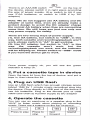
There is an AA/USB switch A,& Lts& on the top of
the device, please switch it in right place according
the way of power supply. (E.9. switch to AA if you
use 2*AA batteries, or switch to USB
if by DC
adapter)
Note: We do not suggest use AA battery and DC
adapter at same time, even we already make a
protect design to avoid the DC adapter charge
the normal AA battery when they are connecting
same time. We still hope you just use only one
way power supply, for safety.
There are two wrong ways of power supply:
(1), Use AA battery, but switch to "USB", in this
way, both cassette and recording/playback won't
work, please switch to "AA" to get working.
(2), Use DG adapter, but switch to "AA", in this
wdy, the cassette won't work, but the
recording/playback can work, and the indicator
will be keeping on. Please switch to "USB" mode
if you want the device get to work.
Once power supply ok, you will see the green
indicator is keep on.
2,Put a cassette tape in device
Open the tape lid from the top of device, and put a
tape in, then close the lid.
3, PIug an USB flash
Use an USB flash which has enough storage space
(about 1MB for 1 minute music recording) plug into
the device. Plug directly to USB port of the device if
use AA batteries. Plug to the female port of USB
cable (see chart 2) if power supply by DC adapter
4, Operate the cassette
You can use an earphone or a speaker plug to the
"AUX" to listen music when playing or recording
music. There are 4 buttons on the top of device:
Press to play
m m m
fast
Press to
stop
fonrvard
3
rewind