1
2–8
Chapter 2: Mentor Graphics ModelSim and QuestaSim Support
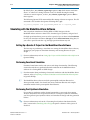
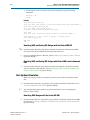
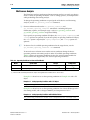
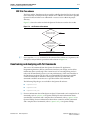
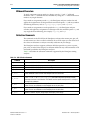
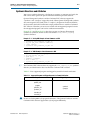
Simulating with the ModelSim and QuestaSim Software
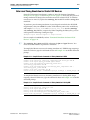
■
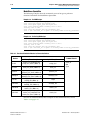
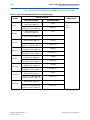
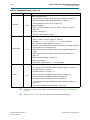
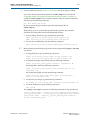
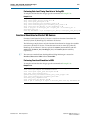
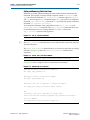
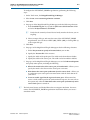
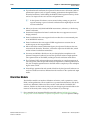
For Verilog HDL designs:
vlib
vmap
vcom
vlib
vmap
vcom
<lib1>_ver r
<lib1>_ver <lib1>_ver r
-work <lib1> <lib1>.v r
<lib2>_ver r
<lib2>_ver < lib2>_ver r
-work < lib2>_ver < lib2>.v r
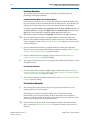
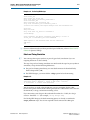
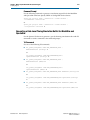
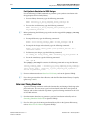
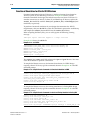
To create the work library and compile the design and testbench files, type the
following commands:
■
For VHDL designs:
vlib work r
vmap work work r
vcom -work work <design_file1>.vhd <design file2>.vhd <testbench file>.vhd r
■
For Verilog HDL designs:
vlib work r
vmap work work r
vlog -work work <design_file1>.v <design file2>.v <testbench file>.v r
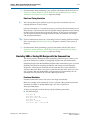
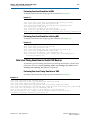
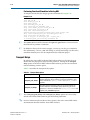
To load the design, type the following command:
■
For VHDL Designs
vsim -L work -L <lib1> -L <lib2> work.<testbench module name> r
■
For Verilog HDL Designs
vsim -L work -L <lib1>_ver -L <lib2>_ver work.<testbench module name> r
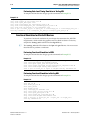
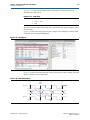
To add signals to the waveform viewer and run the simulation, type the following
commands:
add wave * r
run r
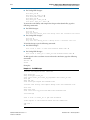
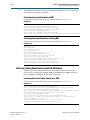
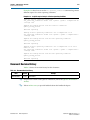
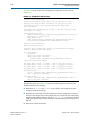
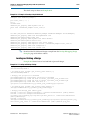
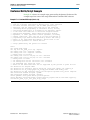
Examples:
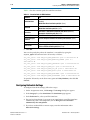
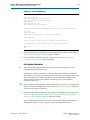
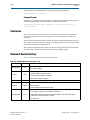
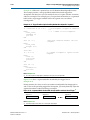
Example 2–1. For VHDL Designs
# Create and compile Altera libraries
vlib
vmap
vcom
vlib
vmap
vcom
altera_mf
altera_mf altera_mf
-work altera_mf altera_mf_components.vhd altera_mf.vhd
lpm
lpm lpm
-work lpm 220pack.vhd 220model.vhd
# Create work library and compile design files and testbench file
vlib work
vmap work work
vcom -work work top_level.vhd adder.vhd testbench.vhd
# Load design
vsim -L work -L altera_mf -L lpm work.testbench
# add signals to the waveform viewer and run simulation
add wave *
run
Quartus II Handbook Version 11.1
Volume 3: Verification
November 2011 Altera Corporation