1
In-System Updating of Memory & Constants
Using In-System
Updating of
Memory &
Constants with
Your Design
Creating
In-System
Configurable
Memory and
Constants
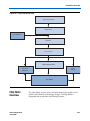
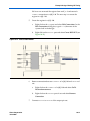
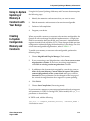
Using the In-System Updating of Memory and Constants feature requires
the following steps:
1.
Identify the memories and constants that you want to access.
2.
Edit the memories and constants to be run-time configurable.
3.
Perform a full compilation.
4.
Program your device.
When you enable a memory or constant to be run-time configurable, the
Quartus II software changes the default implementation. A single-port
RAM is converted to dual-port RAM, and a constant is implemented in
registers instead of look-up tables (LUTs). These changes enable run-time
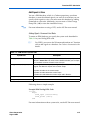
configuration without changing the functionality of your design. For a list
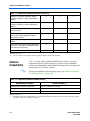
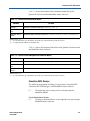
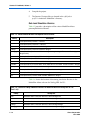
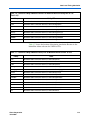
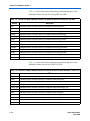
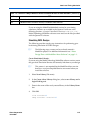
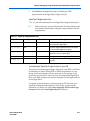
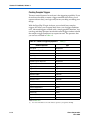
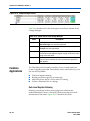
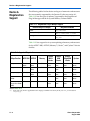
of run-time configurable megafunctions, refer to Table 11–1.
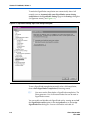
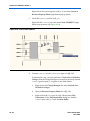
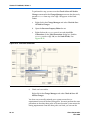
To enable your memory or constant to be configurable, perform the
following steps:
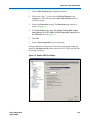
1.
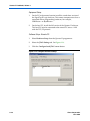
Choose MegaWizard Plug-In Manager (Tools menu).
2.
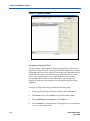
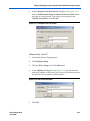
If you are creating a new Megafunction, select Create a new custom
megafunction variation. If you have an existing megafunction,
select Edit an existing custom megafunction variation.
3.
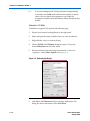
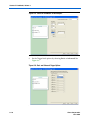
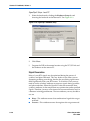
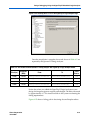
In addition to the characteristics required by your design, turn on
Allow In-System Memory Content Editor to capture and update
content independently of the system clock and type a value for
Instance ID. These parameters can be changed on the last page of
the wizards for megafunctions that support in-system updating.
4.
Click Finish.
5.
Choose Start Compilation (Processing menu).
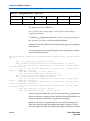
If you instantiate a memory or constant megafunction directly using ports
and parameters in VHDL or Verilog HDL, add or modify the lpm_hint
parameter as shown below.
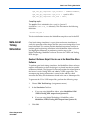
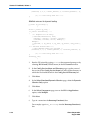
In VHDL code, add the following:
lpm_hint => "ENABLE_RUNTIME_MOD=YES, INSTANCE_NAME =
<instantiation name>"
Altera Corporation
August 2004
11–3