1
CHAPTER 3: CONSTRAINT ENTRY
USING THE SETTINGS DIALOG BOX
f
■
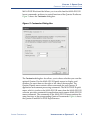
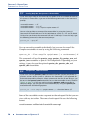
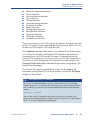
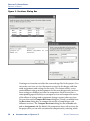
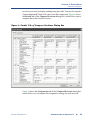
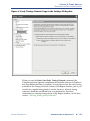
Specify compilation process settings: options for smart compilation,
preserving node names, running the Assembler during compilation,
incremental compilation or incremental synthesis, saving node-level
netlists, exporting version-compatible databases, displaying entity
names, and enabling or disabling the OpenCore® Plus evaluation
feature. Also provides options for generating an early timing estimate.
■
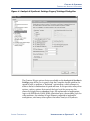
Specify fitting settings: timing-driven compilation options, Fitter
effort, project-wide Fitter logic options assignments, and physical
synthesis netlist optimizations.
■
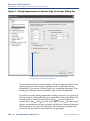
Specify timing analysis settings: default frequencies for the project or
define individual clock settings, delay requirements and path-cutting
options, and timing analysis reporting options.
■
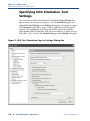
Specify Simulator settings: mode (functional or timing), source vector
file, simulation period, and simulation detection options.
■
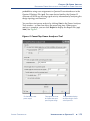
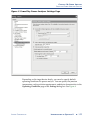
Specify PowerPlay Power Analyzer settings: input file type, output
file type, and default toggle rates, as well as operating conditions such
as junction temperature, cooling solution requirements, and device
characteristics.
■
Specify software build settings: toolset directories, processor
architecture and software toolset, compiler, assembler, and linker
settings.
■
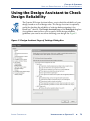
Specify Design Assistant, SignalTap II, SignalProbe, and HardCopy
settings: turn on the Design Assistant and select rules; enable the
SignalTap® II Logic Analyzer and specify a SignalTap II File (.stp)
name; specify options for automatically routing SignalProbe™ signals
and modifying fitting results for the SignalProbe feature; and specify
options for HardCopy™ timing and generating HardCopy files.
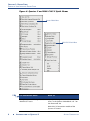
For Information About
Refer To
Assigning project-wide settings with
the Settings dialog box
“Overview: Making Assignments” in
Quartus II Help
ALTERA CORPORATION
INTRODUCTION TO QUARTUS II
■
61