1
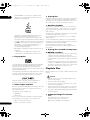
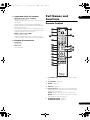
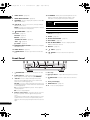
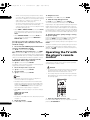
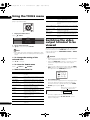
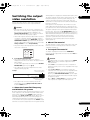
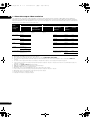
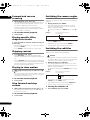
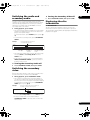
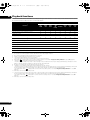
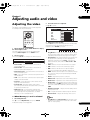
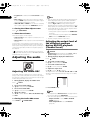
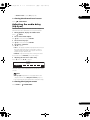
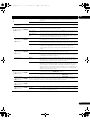
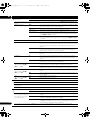
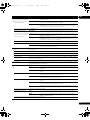
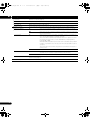
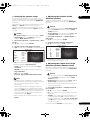
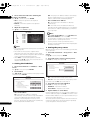
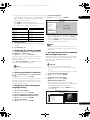
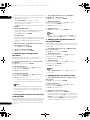
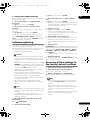
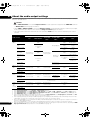
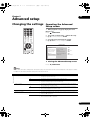
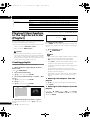
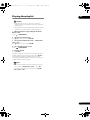
V6000_CUXJ_EN.book 04 26 ページ 2009年6月5日 金曜日 午前11時57分 Using the TOOLS menu Various functions can be called out according to the player’s operating status. Item Description Now Playing Display the playback screen of the currently playing track or file. Original/Play List Switch the DVD-R/-RW’s (VR format) list screen between the original list and the playlist. Add to HMG Playlist Add the selected track or file to the HMG Playlist (page 37). Delete from HMG Playlist Delete the selected track or file from the HMG Playlist (page 38). Output Video Resolution Switch the output video resolution from the various output terminals (page 27). Delete all playlists Clears all the titles/chapters from the playlist. TOOLS TOP MENU ENTER HOME MENU 1 RETURN Display the TOOLS menu. TOOLS. Press BD PLAYER TOOLS Angle Audio Subtitle Audio Adjust Video Adjust 2 Select and set the item. Use / to select, then press ENTER. Note • Items that cannot be changed are displayed in gray. The items that can be selected depend on the player’s status. Switching the video output terminal to be viewed Use the procedure below to switch the video output signal to be viewed between the HDMI OUT terminal and an analog output terminal (COMPONENT VIDEO or VIDEO output terminals). Caution To change the setting of the selected item • The picture may not be displayed for a while when the video output terminal is switched. Use / to change. • When the HDMI OUT terminal is selected, no video signals are output from the other video output terminals. To close the TOOLS menu Press TOOLS or • When a video output terminal other than the HDMI OUT terminal is selected, no audio and video signals are output from the HDMI OUT terminal. RETURN. TOOLS menu item list Item SECONDARY AUDIO VIDEO Description OUTPUT RESOLUTION VIDEO SELECT PLAY MODE Play from Beginning Play the selected title, track or file from the start. HOME MEDIA GALLERY DISPLAY POPUP MENU MENU 26 En Slideshow Play a slideshow of the image files on the selected disc or folder. Play Mode Display the Play Mode screen (page 33). Video Adjust Display the picture quality adjustment screen (page 39). Secondary Video Switch the BD-ROM’s secondary video (Picture-in-Picture) (page 31). Subtitle Switch the subtitles (page 30). Angle Switch the BD-ROM/DVD-Video disc’s camera angles (page 30). Rotate Rotate the image while playing a slideshow (page 37). Audio Adjust Display the audio adjustment menu (page 40). Audio Switch the audio (page 31). Secondary Audio Switch the BD-ROM’s secondary audio (page 31). TOP MENU TOOLS Press VIDEO SELECT. • The current video output terminal is displayed on the TV screen and on the player’s front panel display. To switch the video output terminals, press VIDEO SELECT again or press /. Example: Video Output Terminal Output video resolution setting of selected video output terminal HDMI (Source Direct) • The video output terminal setting can also be switched by pressing / on the player’s front panel.