1
Users Manual
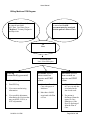
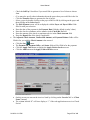
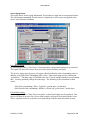
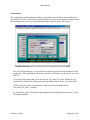
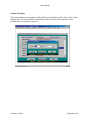
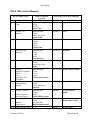
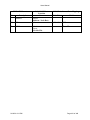
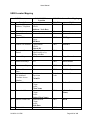
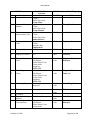
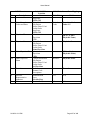
0. Configuration – if this option is “off, access to configuration features will be disabled.
(Configuration features include Offices, Users, Supplies, Services, Attributes, Skills,
Sub-Skills, Employee Tracking Items, Accounting Periods, Worker’s Comp Rates,
Data Exchange/Reindex.)
1. Add Standard Supply – if this option is “off”, when adding a new supply in the
Admin office, it will default to a non-standard supply and the “standard” check box is
disabled.
2. Add Standard Service – if this option is “off”, when adding a new service in the
Admin office, it will default to a non-standard service and the “standard” check box is
disabled.
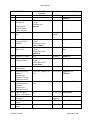
3. Edit Attributes - if this option is “off”, the “new” and “save” buttons are not displayed
on the Attributes screen in the Admin office.
4. Edit Sub-Skills - if this option is “off”, the “new” and “save” buttons are not
displayed on the Sub-Skills screens in the Admin office.
5. Edit Tracking Items - if this option is “off”, the “save” button is not displayed on the
Employee Tracking Items screen in the Admin office. This option must be “on” to
set the “Add/Delete Tracking Items” option “on.”
6. Add/Delete Tracking Items - if this option is “off”, the “new” and “delete” buttons
are not displayed on the Employee Tracking Items screen in the Admin office.
7. Data Exchange/Reindex – if this option is “off”, the menu option “Data
Exchange/Reindex” will be disabled.
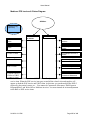
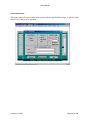
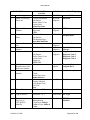
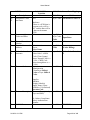
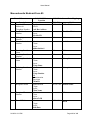
0. Maint – if this option is “off, access to the maintenance features will be disabled.
(Maintenance features include Run Delivery Program, Run Maintenance Program,
Command Window, Copy Client Environment, Copy Employee, Delete Invoice,
Check Login Count, Clear Function Locks and Split Office.)
1. Run Delivery - if this option is “off”, the menu option “Run Delivery Program” will
be disabled.
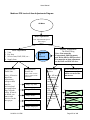
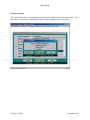
0. Misc– if this option is “off, access to the miscellaneous features will be disabled.
(Misc features include Change Password.)
1. Change Password - if this option is “off”, the menu option “Change Password” will
be disabled.
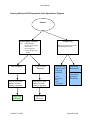
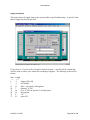
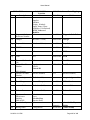
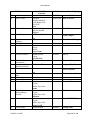
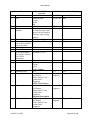
0. Reports – if this option is “off, access to Reports will be disabled. In order for a user
to be given access to “Reports”, at least one of the following must be permitted:
Scheduling, Clinical or AR.
01/18/06 3:13 PM
Page 331 of 448