1
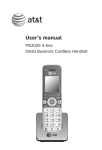
Registering the handset to the base
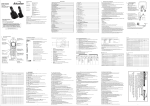
The handset must be registered to the base station in order to make and receive
calls.
To register the handset:
1. Make sure the handset has a charged battery before
proceeding. Make sure the base station is connected to power.
2. Press MENU on the handset. The Main Menu appears.
3. Press q to scroll to User settings and press SELECT.
4. Press q to scroll to Registration and press SELECT.
5. With Handset highlighted, press SELECT. The handset
screen displays instructions. Press NEXT to continue
reading the instructions.
6. On the base station, press the HANDSET LOCATOR button
for at least four seconds, then release the button. Both LEDs
on the base station begin to flash.
7. Press the # key on the handset to begin registration. The
screen shows Please wait... The process takes up to 10
seconds to complete.
When the first handset registers, it beeps and the screen
displays HANDSET 1.
If the handset fails to register, place it in the charger again for a
few seconds, remove it and repeat the registration procedure.
HANDSET
1
11:26PM 01/01
LINE
MENU
21
0DLQ0HQX
6SHHGGLDO
)HDWXUHV
6WDWXV
8VHUVHWWLQJV
%$&. (17(5
8VHUVHWWLQJV
/RZEDWWWRQH
/LQNORVWWRQH
.H\7RQH
5HJLVWUDWLRQ
%$&. (17(5
3UHVVDQG
KROG+$1'6(7
/2&$725NH\
DWEDVHIRU
VHFRQGV
1(;7