1
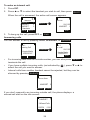
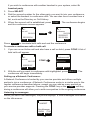
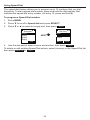
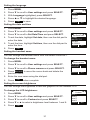
3. Press q to scroll to Lift HS answer and press SELECT.
4. Press SELECT to select either On or Off.
5. Press
SET
to save.
Setting missed-call alerts
When missed-call alerts are enabled, an alert will display on the idle screen
whenever you do not answer an incoming call.
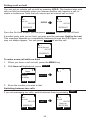
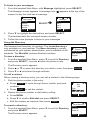
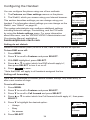
To turn missed-call alerts on or off:
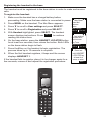
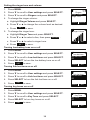
1. Press MENU.
2. Press q to scroll to Features and press SELECT.
3. Press q to scroll to Miss call alert and press SELECT.
4. Press p or q to highlight Show alert or Hide alert.
5. Press
SET
0LVVFDOODOHUW
6KRZDOHUW
+LGHDOHUW
%$&.
6(7
.
Setting call waiting
When call-waiting alerts are enabled, an alert will display on-screen whenever
you receive an incoming call during an active call.
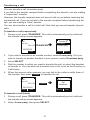
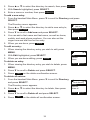
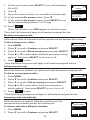
To turn call-waiting alerts on or off:
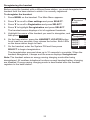
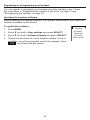
1. Press MENU.
2. Press q to scroll to Features and press SELECT.
&DOOZDLWLQJ
6KRZDOHUW
+LGHDOHUW
3. Press q to scroll to Call waiting and press SELECT.
4. Press p or q to highlight Show alert or Hide alert.
5. Press
SET
%$&.
6(7
.
Viewing handset status
In the Status menu, you can view information on the LAN network your phone
system is connected to, the registration status of your SIP accounts, or view
the software version of your handset. You may need this information for
troubleshooting purposes.
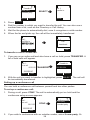
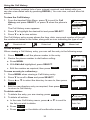
To view the Status menu:
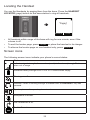
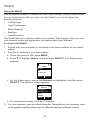
1. Press MENU.
2. Press q to scroll to Status and press SELECT.
3. Press q to scroll to either Network, Line, or Product Info,
and press SELECT.
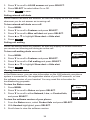
To view the software version of your phone:
6WDWXV
1HWZRUN
/LQH
3URGXFW,QIR
%$&.
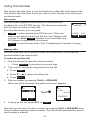
1. From the Status menu, select Product Info and press SELECT.
2. With Handset highlighted, press SELECT.
3. Scroll down to view the software version.
36
(17(5