1
Phone Features
Using the local directory (continued)
The first entry found appears. If more than one entry was found, press p or
q to view other entries.
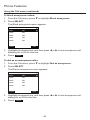
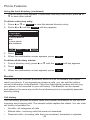
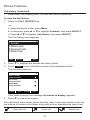
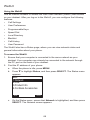
To delete a directory entry:
1. Press p or q or Search to view the desired directory entry.
2. Press t or u until the Delete soft key appears.
/RFDO
$QJHOD0DUWLQ
:RUN
%URQZ\Q0F'RQDOG
:RUN
&KDUOLH-RKQVRQ
:RUN
(GLW
6HDUFK
$GG
'HOHWH
3. Press Delete .
4. When the confirmation screen appears, press
Yes
.
To delete all directory entries:
1. From a directory entry, press p or q until the Del. all soft key appears.
2. Press Del. all .
3. When the confirmation screen appears, press
Yes
.
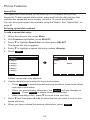
Blacklist
The directory also includes a blacklist, which is a list of numbers that cannot
reach your phone. If you experience nuisance calls, you can add the callers’
contact information to the blacklist. Calls from blacklisted numbers will not ring
your phone, or be recorded in your call history. The Blacklist can be viewed
and edited in the same way as the Local directory but is a completely separate
directory listing.
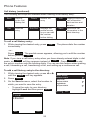
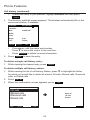
Call history
The call history provides available name and number information for the last 200
incoming and outgoing calls. The newest entries replace the oldest. You can view
call history information for:
•
All calls—all categories of calls
•
Missed calls—incoming calls that were not answered
•
Received calls—incoming calls that you answered, forwarded or rejected
50