1
EzyScript
TRANSACTION SCRIPTING TOOL
Table of Contents
I.
Getting Started for Premium Users ................................................................................................ 4
Introduction ................................................................................................................................................................... 4
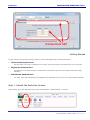
Getting Started ............................................................................................................................................................. 5
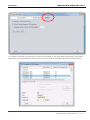
Step 1: Unlock the EzyScript License ......................................................................................................................... 5
Step 2: Register a Premium User ................................................................................................................................ 9
Step 3: Maintain Standard Users ................................................................................................................................ 9
II.
SCRIPT Sheets............................................................................................................................ 11
Introduction ................................................................................................................................................................. 11
Getting Started ........................................................................................................................................................... 11
Overview .................................................................................................................................................................. 11
Preparation .............................................................................................................................................................. 11
Understand the EzyScript SCRIPT Sheet Structure ................................................................................................ 12
Enabling Fields (Columns A to C) ........................................................................................................................ 12
User Defined Field (Column D) ............................................................................................................................. 13
Key Value Fields (Columns E to …) ..................................................................................................................... 13
Understanding SCRIPT Sheet Execution Modes ................................................................................................... 13
Build Your SCRIPT Sheet ............................................................................................................................................. 14
Step 1: Create a new Script Recording ............................................................................................................ 14
Click 'Recordings' Button to Run ‘Maintain Scripted Recordings' ........................................................ 14
Create New User Maintenance Template Set-up ...................................................................................... 15
Select the Recordings Function .................................................................................................................. 15
Configure the Script Actions ....................................................................................................................... 15
Log on to SAP ................................................................................................................................................. 17
Begin Screen Recording .............................................................................................................................. 18
Customize Script Recording ........................................................................................................................ 22
Step 2: Use an EzyScript Scripted Template ......................................................................................................... 24
Option 1: Load via Template .......................................................................................................................... 24
Select the Template Function ..................................................................................................................... 24
Add the First Script ID .................................................................................................................................... 24
Enter the Required Data .............................................................................................................................. 25
Add Another Script ID to the same sheet (optional).............................................................................. 27
Enter Required Data ..................................................................................................................................... 29
Built-In Features and Functionality .......................................................................................................................... 29
Mandatory Fields ........................................................................................................................................... 29
Hide Columns/Rows ...................................................................................................................................... 31
Exclude Rows from Upload .......................................................................................................................... 31
Enter Formulas ................................................................................................................................................ 32
Disable Attributes........................................................................................................................................... 32
Return Field ..................................................................................................................................................... 32
Reference Other Worksheets ...................................................................................................................... 34
Constant Values ............................................................................................................................................ 35
Assign Key Fields ............................................................................................................................................ 35
Schedule Processing and Process Multiple Sheets .............................................................................................. 36
Z Option Inc.
Page 2 of 59
Last Updated: 14-Nov-2014 [1411141620]