1
Part 5: Maintenance
BJC-5000
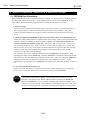
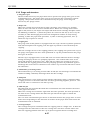
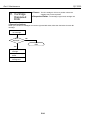
<Cause> 1. The BJ cartridge recognition ID error is detected.
13 Right Head
Recognition
Error
2. The rank resistance error of the head is detected.
3. The resistance error of the head temperature
sensor is detected.
<Suspected Parts> BJ cartridge, carriage unit, carriage
cable, logic board
14. Left Head
Recognition
Error
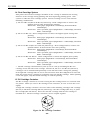
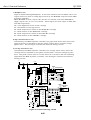
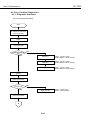
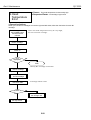
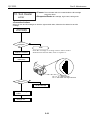
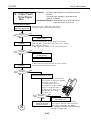
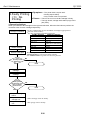
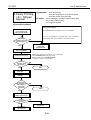
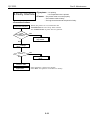
<Corrective Action>
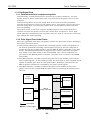
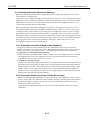
The right head recognition error is not displayed in the same manner as the left head recognition error
is (see Part 3, “3.1 Error Indications”). Check to see on which head the error occurred, then follow the
flow below to perform the corrective action of the appropriate head.
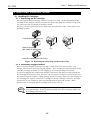
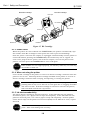
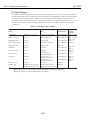
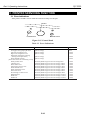
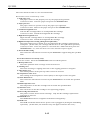
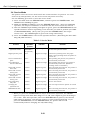
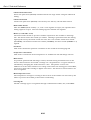
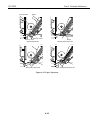
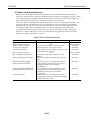
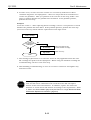
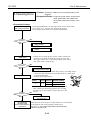
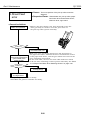
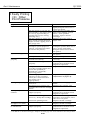
• Is the combination of the installed cartridges appropriate?
(See the table below.)
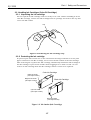
• Are the cartridges installed properly?
Check how the BJ
cartridge is.
Correct ?
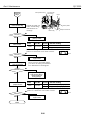
Left BJ cartridge
BC-23
BC-20 (reference)
BC-21e
BC-21e
No
Yes
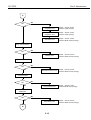
Remove the
BJ cartridge.
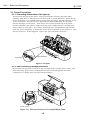
• Is any ink or foreign
substance stuck to
Check the BJ cartridge
the cartridge?
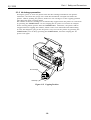
contact section
• Is the contact
(cartridge and both
ends of the carriage).
section deformed
or positioned
improperly?
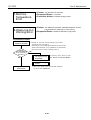
No
Correct ?
Yes
Clean the
contact section.
Re-install the
BJ cartridge.
Replace the
BJ cartridge.
Does
the same error
occur again ?
Yes
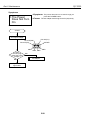
No
END
1. Replace the
carriage unit.
2. Replace the logic
board.
5-27
BC-21e
BC-23
BC-20 (reference)
BC-21e
Right BJ cartridge
BC-23
BC-20 (reference)
BC-21e
BC-23
(BC-20 as reference)
BC-22e Photo
None
None
None