1
Your Guide to SDIR ►
SECTION 2
SEARCH
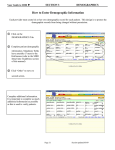
Display of Records
C
B
D
A
A White Record = home record
This is a record that was created by your facility. There should only be one home record for each patient.
B Gray Record = other facility’s record
This is a record that was created by another provider
C
Icon that looks like a lock = confidential record
A confidential record is a record that can be accessed only by the facility where the Registry patient
information was obtained. If the patient/parent/legal guardian decides to share the record, the provider can
change the confidentiality status of the patient. See page 2.19 for instructions on how to change the
confidentiality status.
D Number of records linked to the displayed record(s)
A linked record is a record that has been attached to another record within the database. The Registry
system will automatically do this when it feels that identifying criteria has been matched. You as a user
will also have the ability to do this.
The number listed under the “Link” header is the actual number of records to which your record is attached/
linked. Note: If you see that there is more than one home record for the same patient; please follow the
instructions on how to merge duplicate home records.
Page 2.2
Section updated 05/09