1
About analytics overview
The Analytics overview page provides you with a more detailed overview of your focus.
You can either focus on all search topics, on one specific topic, or on a search topic
category. Click or tap Microsoft Social Listening > Analytics to access the overview page
or click or tap a search topic on Home.
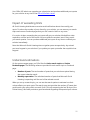
Analytics summary provides you with the number of posts, trend changes, share of voice,
and sentiment. Note that the sentiment value of a post relates to the keywords used in the
search queries of your topic. If you don’t have any sentiment target in your focus, the
sentiment value will show up blank and is greyed out. To define a search topic as a target,
choose one of your search topics from the drop-down menu in the top left corner.
Below the key performance indicator (KPI) you’ll find additional visuals of your data set:
•
Volume history represents how the posts are distributed over your chosen time
frame. The red line indicates the number of posts in your time frame. The grey line
indicates the average number of posts from the past five time frames of your
current data set. Click or tap the items in the chart’s legend to show or hide the
average number of posts or the total number of posts.
•
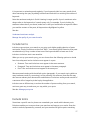
Topic buzz by sources lets you compare the post volume of the most active search
topics. The listed search topics are sorted by the number of posts and divided in
the available sources. Click or tap the sources in the chart to drill down to more
detailed analytics of the source. Click or tap the sources in the chart’s legend to
hide or show them in the chart. Note that the sum of posts per search topic may
exceed the total post volume, because some posts may match several search topics.
•
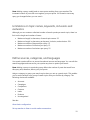
Sources summary provides an overview of how many posts were found and the
trend change for every active source.
•
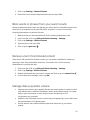
Sources share of voice by language shows the relative distribution of the sources
between the five most active languages in your data set.
See also: Understand sentiment
About sources analysis
The Sources page enables you to keep track of the available sources in your analysis:
•
Sources summary provides the number of posts, trend changes, and share of voice
of all sources in your data set.
25