1
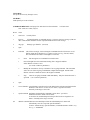
with code residing in flash memory. The Debug12 utility
must be erased at programming time.)
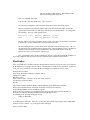
Click "set as default" then "OK"
Copy all source files into the directory. (all *.c and *.h)
Go to the Project/Add File(s) option and place all the above source files in the project.
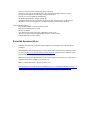
There is an apparent typo in the hcs12dp256.h file in the ICC/INCLUDE folder (at least the
register name in the include file didn't agree with the processor documentation . So, change this
file as follows. This way, either spelling works.
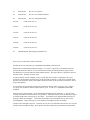
Following line:
Add:
#define PWMPRCLC _P(0xA3)
#define PWMPRCLK _P(0xA3
The file: SRecCvt.exe must be placed in the ICC folder. You can put it elsewhere, but you'll have
to modify the " execute command after successful build" line above.
The ICC12 IDE generates .s19 files which can be bootloaded into an HC12 processor. The .s19
file generated is not compatible with the paged memory of the 9S12DP256 version. The SRecCvt
program (as directed by the "execute command after successful build" string converts the
generated .s19 file to a converted file called out.s19.
Now, you should be able to hit the "build project" button, or select Project/Rebuild all and have a
successful compilation and generation of an out.s19 file that can be loaded into the processor.
Bootloader:
First, you should have a standard serial cable hooked from the Com port of your PC to the 9 pin connector
on the Adapt9S12. I'm going to assume your PC communicates on COM1 for the explanation, if it doesn't
work, you can try COM 2 etc. Or look in the Device Manger to see which port you are set to.
Bring up the ICC12 IDE.
Go to Tools/ Environment Options/ Terminal...and set:
COM Port to COM 1
Baudrate to 9600
Flow Control to None (Software(^S/^Q) also works, I believe)
ASCII transfer protocol to None.
Hit OK.
Select Terminal/ Show Terminal Window (this should bring up the blank terminal display.
Hit the Open Com Port button. (the button will change to read "Close Com Port")
Switch the RUN/PROG switch to the PROG position .
With 12 vdc power applied to your controller board, the green light on the processor should be on.
Press the reset button on the Adapt9S12DP256 board (right upper corner).
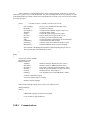
You should get the following menu page starting:
D-Bug 12 Bootloader......
If you don't get the bootloader, make sure you have moved the Mode Select jumpers on the Adapt board
from the 0 to the 1 position. Or you might try other COM ports.
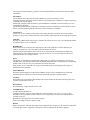
Once you get the menu: