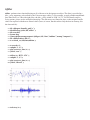
1
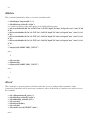
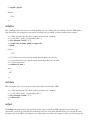
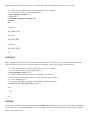
the grid; the name of the grid itself; a formatting string for the filename in which to save the grid; the format of
the grid; and the units of the grid (acceleration in g):
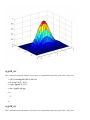
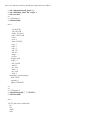
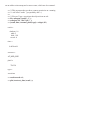
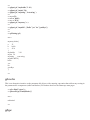
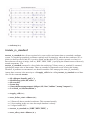
>> % Construct a contrived grid:
>> [X,Y] = meshgrid(-2:0.2:2,-3:0.3:3);
>> Z = exp( -X.^2 - Y.^2 );
>> cgg = cggrid( X, Y, Z );
>> % Save this to a fake database as though it belonged
>> % to an earthquake:
>> output_dir = [’/tmp/exampledir_’ getenv(’USER’)];
>> unix( [’/bin/rm -rf ’ output_dir] );
>> unix( [’mkdir ’ output_dir] );
>> output_dbname = [output_dir ’/newdb’];
>> fid = fopen( output_dbname, ’w’ );
>> fprintf( fid, ’#\nschema rt1.0:gme1.0\n’ );
>> fclose( fid );
>> db=dbopen( output_dbname,’r+’ );
>> db=dblookup( db,’’,’origin’,’’,’’ );
>> orid = dbnextid( db, ’orid’ );
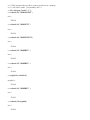
>> db.record = dbaddv( db, ’lat’, -116, ...
’lon’, 34, ...
’depth’, 0, ...
’time’, str2epoch( ’12/31/2002’ ), ...
’orid’, orid, ...
’nass’, 0, ...
’ndef’, 0 );
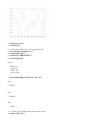
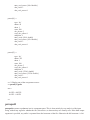
>> cggrid2db( cgg, db, ’dbexample_fake’, ’testgrid’, ...
’%Y/%j/%{gridname}_%{recipe}.%{qgridfmt}’, ...
’t4’, ’g’, ‘pga’, ‘matlab_demo’ );
>>
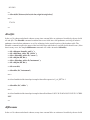
clear_register
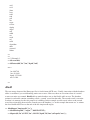
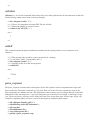
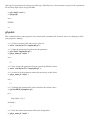
Most of the toolbox routines are pretty good about complaining of problems when they occur. However, if you
suspect the package is caching a useful error message, this is the way to bring them to the surface.
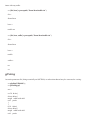
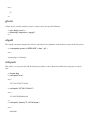
>> clear_register(’print’)
>>
>> % [...if there were error messages accumulated, this would have flushed them out...]
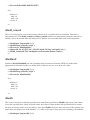
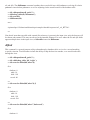
compare_response
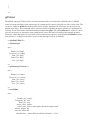
The compare_response command may be used to compare the coefficients for two response objects, returning