1
TRENDnet User’s Guide
Contents
Product Overview ...........................................................................3
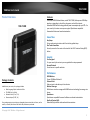
Package Contents .......................................................................................................... 3
Features ......................................................................................................................... 3
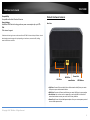
Product Hardware Features........................................................................................... 4
Application Diagram ...................................................................................................... 5
Basic Router Setup ..........................................................................6
Creating a Home Network ............................................................................................. 6
Router Installation ......................................................................................................... 7
Connect additional wired devices to your network..................................................... 10
Wireless Networking and Security ................................................. 10
How to choose the type of security for your wireless network .................................. 10
Secure your wireless network ..................................................................................... 11
Connect wireless devices to your router ..................................................................... 13
Connect wireless devices using WPS ........................................................................... 14
Basic wireless settings ................................................................................................. 15
Steps to improve wireless connectivity ....................................................................... 16
Advanced wireless settings.......................................................................................... 17
Access Control Filters .................................................................... 17
Access control basics ................................................................................................... 17
MAC address filters ................................................................................................. 17
Domain/URL Filters ................................................................................................. 18
Protocol/IP filters .................................................................................................... 19
Advanced Router Setup ................................................................. 21
Access your router management page ........................................................................ 21
Change your router login password ............................................................................ 21
Table of Contents
Set your router date and time ..................................................................................... 22
Manually configure your Internet connection ............................................................ 22
Clone a MAC address ................................................................................................... 23
Change your router IP address .................................................................................... 23
Set up the DHCP server on your router ....................................................................... 24
Set up DHCP reservation ............................................................................................. 25
Enable/disable UPnP on your router ........................................................................... 25
Allow/deny VPN connections through your router ..................................................... 26
Allow/deny multicast streaming.................................................................................. 26
Identify your network on the Internet ........................................................................ 26
Allow remote access to your router management page ............................................. 27
Open a device on your network to the Internet.......................................................... 27
DMZ ......................................................................................................................... 27
Virtual Server .......................................................................................................... 28
Special Applications ................................................................................................ 29
Add static routes to your router .................................................................................. 31
Router Maintenance & Monitoring ............................................... 31
Reset your router to factory defaults .......................................................................... 31
Router Default Settings ............................................................................................... 32
Backup and restore your router configuration settings .............................................. 32
Upgrade your router firmware .................................................................................... 33
Restart your router ...................................................................................................... 34
Check connectivity using the router management page ............................................. 34
Check the router system information ......................................................................... 34
View your router log .................................................................................................... 35
Configure your router log ............................................................................................ 36
© Copyright 2012 TRENDnet. All Rights Reserved.
ii