1
MX-6000 User Manual
Table of Contents
Chapter 1 - Installation
1-1 Installation Environment
1-2 Unpacking
1-3 Removing Safety Tapes and Styrofoam
1-4 Power Connection
1-5 Power Fan Installation
1-6 Tray Guide Installation
1-7 Online Interface Installation
1-8 Conveyor Installation
Chapter 2 - Before Operating
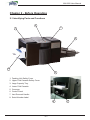
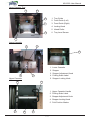
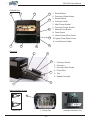
2-1 Identifying Parts
2-2 Caution for Installation
Chapter 3 - Preparing for Operation
3-1 Paper Size
3-2 Loading the Forms
3-3 Fold Setting
3-4 Fine Adjustment of Folding Position
3-5 Conveyor Wheel Setup
Chapter 4 - Handling Errors
4-1 Error Message
4-2 Handling Paper Jams
Chapter 5 - Maintenance
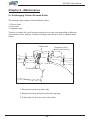
5-1 Exchanging Friction Reverse Roller
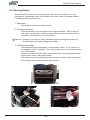
5-2 Cleaning Rollers
Chapter 6 - Troubleshooting
6-1 No Power
6-2 Incorrect Folding
6-3 Power On, but No Start
6-4 Frequent Double or Multiple Sheet Feeding
Chapter 7 - Conveyor
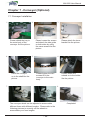
7-1 Conveyor Installation
-2-