1
MX-6000 User Manual
Chapter 7 - Conveyor (Optional)
7-1 Conveyor Installation
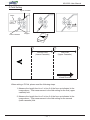
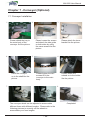
1.
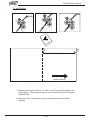
2.
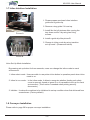
Please attach the tray to
the main body of the
conveyor like the picture.
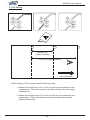
4.
3.
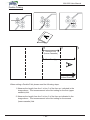
5.
Place the conveyor
on to the shaft like the
picture.
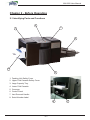
Please attach the lower
bracket like the picture.
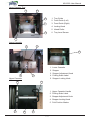
Please loosen the screws
and attach the side guide
on both sides by using
the same screws like the
picture.
6.
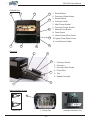
Please tighten the two
screws to fix the
conveyor to the main
body.
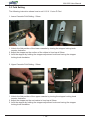
Please attach the
wheels on to the holder
like the picture.
8.
7.
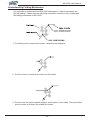
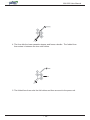
The conveyor wheel can be adjusted to accomodate
different forms with different lengths. Please refer to the
following pictures to correctly set the wheels to
accomodate your form lengths.
- 28 -
Completed.