1
Chapter 3 Simulator Devices
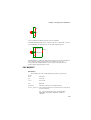
page 29.
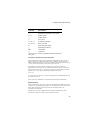
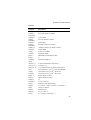
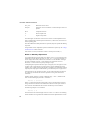
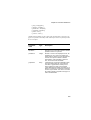
definition_lines
List of valid device and model lines. In
addition, .NODESET, .IC and .KEEP lines
may also be placed in a subcircuit.
Example
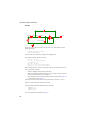
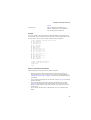
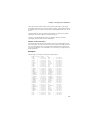
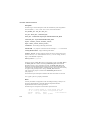
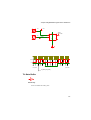
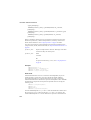
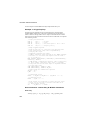
This is an example of an opamp subcircuit called SXOA1000. VINP, VINN VOUT
VCC and VEE are its external connections. The three .model lines define devices that
are local, that is, they are only accessible within the subcircuit definition.
.subckt SXOA1000 VINP VINN VOUT VCC VEE
I2 D2_N VEE 100u
I1 Q3_E VEE 100u
C1 VOUT R1_P 10p
D1 Q7_C D1_N D1
D2 D1_N D2_N D1
D3 VEE Q3_E D1
Q2 VEE D2_N VOUT 0 P1
Q3 Q3_C R3_P Q3_E 0 N1
Q1 VCC Q7_C VOUT 0 N1
Q6 Q3_C Q3_C VCC 0 P1
Q7 Q7_C Q5_C VCC 0 P1
R1 R1_P Q5_C 100
Q4 Q5_C R2_N Q3_E 0 N1
R2 VINP R2_N 1K
Q5 Q5_C Q3_C VCC 0 P1
R3 R3_P VINN 1K
.model N1 NPN VA=100 TF=1e-9
.model P1 PNP VA=100 TF=1e-9
.model D1 D
.ends
Where to Place Subcircuit Definition
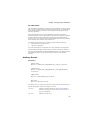
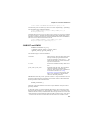
Subcircuit definitions may be placed in a number of locations.
•
Directly in the netlist. This is the best place if the subcircuit is specific to a
particular design. If you are entering the circuit using the schematic editor, see
“Adding Extra Netlist Lines” on page 12. to find out how to add additional lines
to the netlist.
•
Put in a separate file and pull in to the schematic with .INC (page 216) statement
placed in the netlist.
•
Put in a library file and reference in schematic with SIMetrix form of .LIB
(page 219) statement placed in the netlist. Similar to 2. but more efficient if
library has many models not used in the schematic. Only the devices required
will be read in.
•
Put in a library file and install as a model library. See User's Manual for full
details.
41