1
Operating Instructions
Table of Contents
1. Product Introduction ............................................................ 4
1.1 Getting to know the Network Camera.............................................................................4
1.1.1 Main features............................................................................................................4
1.1.2 System Requirements...............................................................................................5
1.2 Camera Feature Locations...............................................................................................5
1.2.1 Front View................................................................................................................5
1.2.2 Rear View.................................................................................................................6
1.3 Network Camera Installation ..........................................................................................6
1.3.1 Connecting the Cable and the Power Supply ...........................................................6
1.3.2 Confirming the Network Camera Setting.................................................................8
1.3.3 Setting Network Parameters.....................................................................................8
Use reset key .....................................................................................................................9
1.3.4 Use ARP command ..................................................................................................9
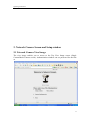
2. Network Camera Screen and Setup window.................... 11
2.1 Network Camera View Image ....................................................................................... 11
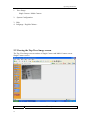
2.2 Viewing the Top View Image screen.............................................................................12
2.3 Setup window—System Configuration.........................................................................13
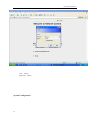
System Configuration..................................................................................................14
2.3.1 Network..................................................................................................................16
2.3.2 Date/Time...............................................................................................................18
2.3.3 Administrator..........................................................................................................19
2.3.4 General User...........................................................................................................20
2.3.5 Video Settings ........................................................................................................21
2.3.6 Multi-server............................................................................................................22
2.3.7 I/O Ports .................................................................................................................23
2.3.8 Timer Capture.........................................................................................................24
2.3.9 Motion Detect.........................................................................................................25
2.3.10 Constant Recording..............................................................................................26
2.3.11 Event Manage.......................................................................................................27
2.3.12 Event Picture ........................................................................................................28
2.3.13 Event Properties ...................................................................................................29
3