1
a. Once you have determined the key combination, locate the function “Fn” key on your
keyboard.
b. Hold down the “Fn” key and press the appropriate function key from the table.
c. After two seconds, release the keys and the laptop display should be projected on the
screen.
For other hardware or technical questions, contact the ITG Help Desk
Phone: x271 (or 455-0271)
Room: BS-109
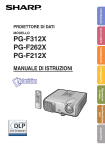
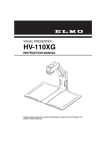
Note: Images used in this handout were taken from the Elmo and Sharp Projector manuals. Complete manuals
can be downloaded online at: http://www.elmousa.com/download-archive.php (Elmo) and
http://www.sharpusa.com/ForBusiness/PresentationProducts/ProfessionalProjectors/PGF312X.aspx (Sharp
projector).
Page 10
Leeward Community College | 20091103_ri