1
VIEWPOINT USER GUIDE
LOGGING ON TO VIEWPOINT
To use ViewPoint, you must log on using a valid Wave user account. Ask your Wave administrator for the
information you need to use to log on.
Note: Each running ViewPoint program requires a license. If you see a message stating that you have
exceeded your ViewPoint licenses, you cannot log on. See your Wave system administrator for help if
such a message appears.
To log on to ViewPoint:
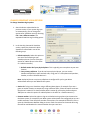
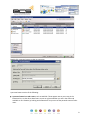
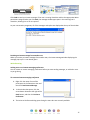
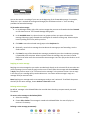
1. Choose Start > Programs > Vertical Wave
ViewPoint > Wave ViewPoint. The
ViewPoint Log On dialog opens.
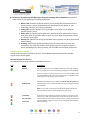
2. Enter your user name in the User Name field if it is not already displayed. If you do not know
your user name, ask your Wave system administrator.
3. Enter your numeric password in the Password field. Use the same password that you use to log
into your Wave voicemail account using the phone.
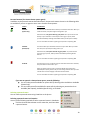
4. If you want to skip the process of logging on
to the Wave ViewPoint in future sessions,
check Automatically log on as this user.
Note: If you check Automatically log on as
this user, anyone at your computer can
open your ViewPoint program and listen to
your voice messages, because ViewPoint
will open without requiring a password.
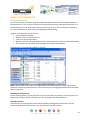
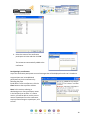
5. If you need to change login options, for
example to use ViewPoint at a different
location than your normal location, click
Options >> to display additional settings.
See “Using ViewPoint with a different
phone, Wave Server, or language” on page
2-6 for more information about each
option.
6. Click OK to launch ViewPoint.
3