1
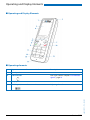
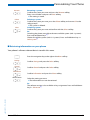
Operating and Display Elements
5
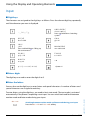
key
Press
In the state...
Description
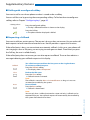
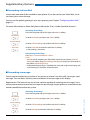
Left softkey/
foxkey
short
• Idle state
• Menus
• Call up complete menu
• Executes displayed function above key.
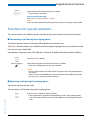
Middle softkey/
foxkey
short
• Idle state
• Menu
• Call up configured call number
• Executes displayed function above key.
Right softkey/
foxkey
short
• Idle state
• Menu
• Call up configured call number
• Executes displayed function above key.
approx 2
sec. each
Idle state
Configures key
6
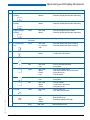
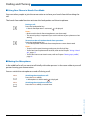
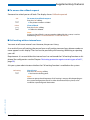
Loudspeaker
key
short
• Idle state
• In a connection
• Activate/deactivate open listening
• Activate/deactivate open listening
7
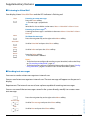
Correction key
short
• Editor
• Menu
• Deletes last character
• Scroll back in the menu
8
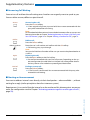
Navigation key
top
• Idle state
• Lists
• Call up activated features
• Navigation
right
•
•
•
•
•
•
•
•
bottom
• Idle state
• Lists
• Call up phone book
• Navigation
left
• Idle state
• Menu
• Editor
• Call up profiles
• Scroll back in the menu
• Navigate cursor
Idle state
Menu
Editor
Lists
Call up complete menu
Goes forward one step in the menu
Navigate cursor
Call up details
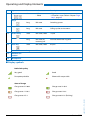
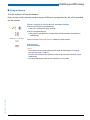
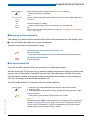
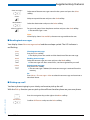
Call key
short
• Idle state
• Lists
• Call up redial list
• Dial select call number
10
End key
short
• In a connection
• Menu
• Editor
• Ending a Call
• Back to idle state
• Exit Editor without changes
long
Idle state
Switch phone on/off
eud-1093/1.1 – I7.9 – 09.2009
9
Aastra 610d
3