1
Using the Web Browser
15.5 Automatic Screen Rotation
The handset can change the screen orientation depending on how you are holding it.
To turn ON automatic screen orientation, from the Home screen, tap
and tap
Settings > Display > Auto-rotate screen (a check mark will appear).
Tip: Web pages will appear larger in landscape mode.
Note: The Home screen and the phone screens can only be displayed in portrait
mode.
15.6 Zoom In and Out of a Web Page
When viewing a web page, double tap the screen to zoom in and out, or zoom / out in
by touching the screen with two fingers and pinching / spreading fingers out.
15.6.1 Open a New Browser Window
You can open multiple browser windows and switch between different web pages.
In the Browser window:
1. In the browser window, tap the
in the pop-up bar at the bottom of the screen.
2. Tap + to open a new window.
3. A new browser window opens on the default Home page.
Tips
Bookmark current page by tapping
> Save to bookmarks.
View bookmarks, browsing history and more by tapping
> Bookmarks/History.
15.6.2 Switch Between Browser Windows
1. In the browser window, tap the
in the pop-up bar at the bottom of the screen.
2. Tap on your desired browser window to open that web page.
15.6.3 Close a Browser Window
1. In the browser window, tap the
in the pop-up bar at the bottom of the screen.
2. Tap the X against the browser window you wish to close.
15.6.4 Finding Text On a Webpage
1. When viewing a webpage, tap
> Find on page.
2. Enter the text in the input box using the on-screen keyboard and tap Done.
• Matching text will be highlighted on the screen.
3. Tap
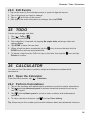
to go to the previous or next matching text.
4. Tap to close the search box.
35