1
How to Commission the Cisco AS5850 Universal Gateway
Task 10. Configuring GigE Egress
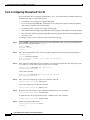
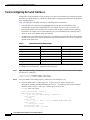
To commission Gigabit Ethernet service, perform the following steps.
Note
Step 1
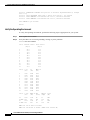
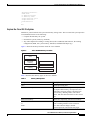
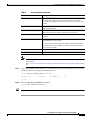
See Table 10 for additional Gigabit Ethernet interface commands and descriptions.
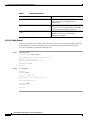
Assign IP addresses.
Gateway# config t
Gateway(config)# interface GigabitEthernet6/1
Gateway(config-if)# ip address 172.21.101.50 255.255.255.0
Configure additional IP addresses as required.
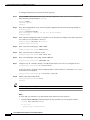
Step 2
Bring the interface online (up).
Gateway(config-if)# no shutdown
Step 3
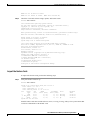
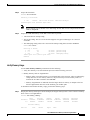
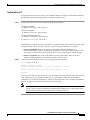
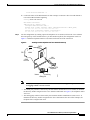
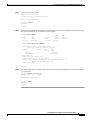
Verify that the Gigabit Ethernet interface is up.
Gateway# show interface gigabitethernet6/1
GigabitEthernet6/1 is up, line protocol is up
Step 4
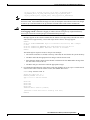
Verify network connectivity between the interface and a device on the network using the ping utility.
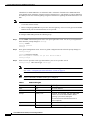
This step verifies that you have IP connectivity with another device on the subnet.
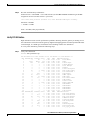
Gateway# ping 172.22.66.1
Sending 5, 100-byte ICMP Echos to 172.22.66.1, timeout is 2 seconds:
.!!!!
Success rate is 80 percent (4/5), round-trip min/avg/max = 1/1/1 ms
Gateway#
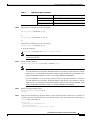
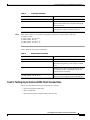
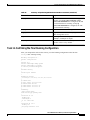
Table 10
Summary of Optional Gigabit Ethernet Interface Commands
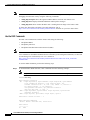
Command
Purpose
[no] ip redirects
Sends an ICMP Redirect message to the originator
of any datagram that the gateway is forced to
resend through the same interface on which it was
received, since the originating host could
presumably have sent that datagram to the
ultimate destination without involving the
gateway at all. The gateway ignores Redirect
messages that have been sent to it by other
gateways. Use the ip redirects interface
subcommand to enable or disable the sending of
these messages.
[no] ip route-cache
Enables/disables the use of high-speed switching
caches for IP routing.
Cisco AS5850 Universal Gateway Commissioning Guidelines
42
78-10537-04