1
IX. Operation
Power
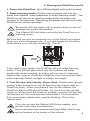
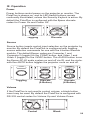
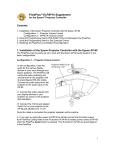
Power buttons control power on the projector or monitor. The
PixiePlus is always on, and its LED backlit buttons remain
continually illuminated, unless the Security Keylock is active. By
default the PixiePlus is configured with the Epson discrete
codes for Power On and Power Off.
POWER
POWER
ON
Toggling
OFF
Discrete
Source
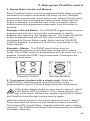
Source button inserts control input selection on the projector by
monitor. By default the PixiePlus is configured with toggling
source selection commands for use with the 4-button discrete
module. The default Epson codes are Computer 1 and
Computer 2 (toggle) for the COMP button, and Video 1 and
Video 2 (toggle) for the VIDEO button. The AUDIO button turns
the Epson AP-60 audio system on and off via IR, and the circlewith-line MUTE button toggles the projector mute on and off.
SOURCE
SOURCE
SOURCE
Toggling
VIDEO
comp
COMP
audio
Discrete
(2-Button)
video
Discrete
(4-Button)
Volume
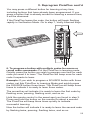
If the PixiePlus is not used to control volume, a blank button
insert may be used. By default the PixiePlus is configured with
RS-232 control codes for Volume Up and Volume Down.
VOLUME
Control
Blank
20