1
I. Installing Go! via the Internet
(Service pack 1 must be installed)
A. Printer Cabling:
1. Printer Cable Acquisition
Parallel cables are used to connect itinerary and hardcopy (but not ticket) printers to the hosting
workstations. Standard parallel printer cables in lengths up to 20 feet can be purchased in
prefabricated lengths at a variety of computer stores and other retail outlets that carry computer
equipment. Use Standard Parallel cables ONLY not the Bi-directional Parallel cables that are also
sold.
Serial cables must be used to connect ticket printers to the hosting workstations, and can also be
used to connect itinerary and hardcopy printers, if sufficient serial ports are available. Serial
printer cables must be fabricated per the following instructions, or provide by Worldspan or a
vendor approved by Worldspan. These cables are not available for purchase over the counter at
any retailer. Cables used by existing Worldspan customers on Worldspan for Windows v4.2 or
above, or any previous version of Go! Res may be reused with this installation.
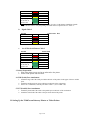
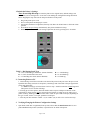
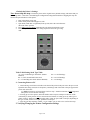
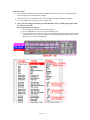
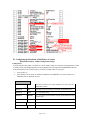
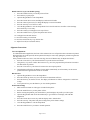
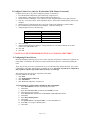
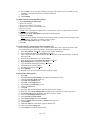
2. Serial Printer Cable Pinning (Please read and refer to drawings a, b and c below!)
This section outlines the pin out of the cable referred to in installation instructions for the
Genicom1600, TI810, TI885, Unimark Sprite, and A3300/3302 printers. This pin configuration is
necessary to successfully connect from the serial port of a Go! via the Internet workstation.
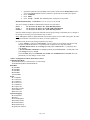
Three cable pin outs are provided below:
Cable 1 is a standard 25 to 25 pin serial printer cable for Worldspan Hardware Gateway (4.11)
Agencies.
Cable 2 is an adapter used to convert a 25pin cable to a 9 pin cable. This cable attached to cable 1
will create cable 3.
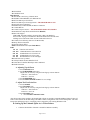
Cable 3 is a standard 9 to 25 pin serial printer cable for Worldspan Software Gateway (4.2)
Agencies.
Note: Cable 3 is the one required for Go! Res via the Internet printer connection, either as actual
Cable 3, or fabricated from Cable 1 + the Cable 2 Pigtail Adapter.
If the agency is already using cable 3, then it is ready for use as is.
If the agency is using cable 1, then create cable 3 by either of the following methods listed below,
or discard any existing cable, and use a new cable 3.
For new installations, no previous Worldspan installation or cables present, use cable 3.
Cable 3 can be built from cable 1 two ways:
Building the cable 2 pigtail adapter, and using with existing cable 1, or
From cable 1, by replacing the 25-pin female end with a 9-pin female end, and repining it
accordingly.
Notes:
The color coding is only “suggested” as a standard, any color wire could be used as long as the
same pin to pin connection is made from end to end of the cable.
The 9 to 25 pin Pigtail adapter is NOT the same cable or pin out as a TRAMS Pigtail adapter.
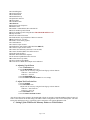
a.
Standard Serial Printer Cable 1 (see note)
PC End
25 Pin Female
Printer End
25 Pin Male
Page 3 of 23