1
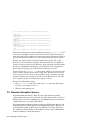
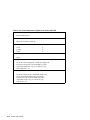
spoolers and supervisors running.
- Deletes resource profiles and action scripts associated
with printing resources defined in the
/var/pd/config/apx_caa_map.conf file.
- Creates a new, empty /var/pd/config/apx_caa_map.conf file.
- Registers the apx-default resource.
Do you want to initialize anyway? (y/[n])
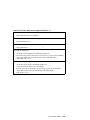
5.3.7 Configuring a Printer to Run on One Member
Some printers are directly connected to the serial or parallel port of a host.
These printers must be controlled by a supervisor running on that host. To
ensure that the supervisor runs on the correct cluster member, you must
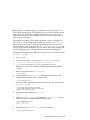
create a separate CAA resource profile for the supervisor. The resource
profile must specify:
•
placement=restricted
•
hosting_members=hostname
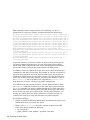
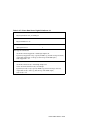
After you create the physical printer object, set the printer-associatedhost attribute to the name of the host to which the printer is connected.
# pdset -c printer -x printer-associated-host=hostname
printername
In addition, the supervisor that is associated with the printer, must be
running on the host that the printer is restricted to.
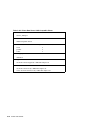
If a job is sent to the printer from a supervisor running on a host other
than the one specified by the printer-associated-host attribute, the
supervisor disables the physical printer and sets the following attributes:
•
enabled=false
•
availability=none
•
printer-problem-message= “Printer port associated with a different host”
5.3.8 LPD Inbound Gateway in a Cluster
The LPD Inbound Gateway is not configured as a CAA application but is run
on each member of the cluster. To configure the LPD Inbound Gateway,
run the /usr/pd/scripts/inbound_gw_config.sh script. This script
configures the LPD Inbound Gateway on each member of the cluster and
edits the rc.config file so that each time your system restarts, the LPD
Inbound Gateway restarts.
Creating and Managing Servers 5–13