1
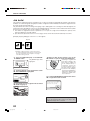
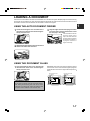
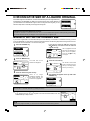
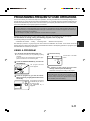
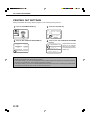
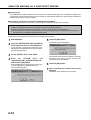
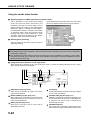
CONDITION SETTING SCREEN OF SCANNER MODE
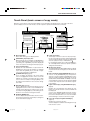
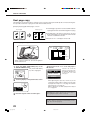
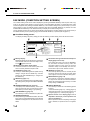
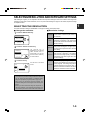
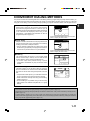
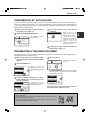
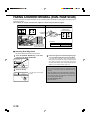
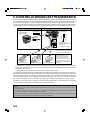
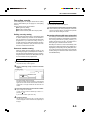
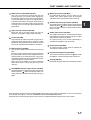
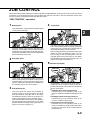
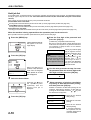
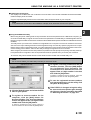
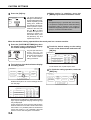
■ Address directory screen (alphabetically ordered)
If you have set the initial screen to the address directory screen using the key operator program, the initial screen
will appear as follows.
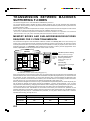
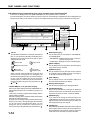
Destinations stored using the Web page are grouped in indexes ( ) according to the letter entered in "Initial" for
each destination, and the name entered in "Display Name" is displayed in the one-touch key ( ).
READY TO SEND.
CONDITION
SETTINGS
SHARP CORPORATION
TPS
SHARP GROUP
D DESKTOP
E
F
G
H DESKTOP
ADDRESS REVIEW
FREQUENT USE
ABCD
EFGHI
JKLMN
OPQRST
UVWXYZ
ABC
GROUP
ABC
GROUP
E-mail Destination Management page
GROUP1
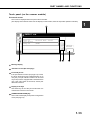
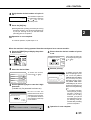
One-touch key display
This shows the one-touch keys that have been
stored on the selected "index card". The key type is
indicated by the icon at the right.
:Scan to E-mail, Internet-Fax
: Scan to FTP
: Scan to Desktop
The display is initially set to show 8 keys. This can
be changed to 6 or 12 using the key operator
program. (Refer to page 26.)
Display switching keys
In cases where the one-touch keys cannot all be
displayed on one screen, this shows how many
""
" keys to move
screens are left. Touch the "
through the screens.
GROUP2
GROUP3
GROUP4
GROUP5
GROUP6
CONDITION SETTINGS key
This displays the condition setting screen (previous
page), which is used to set various conditions.
ABC
GROUP key
Touch this key to switch between the alphabetical
index and the group index.
Index keys
One-touch key destinations are stored on each of
these index cards (alphabetical index or group
index). Touch an index key to display the card.
Group indexes make it possible to store one-touch
keys by group with an assigned name for easy
reference. This is done with the custom settings (refer
to page 5). Frequently used one-touch key
destinations can be stored on the FREQUENT USE
card for convenient access.
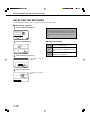
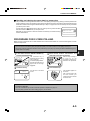
NOTE
The screen showed above is the alphabetical address directory. If desired, the initial screen can be set to the group address
directory (refer to page 26).
7