1
MAKING CONFIGURATION SETTING
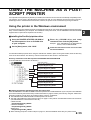
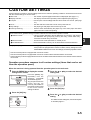
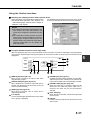
The printer configuration setting allows basic printer settings to be made. The items set with the printer configuration
settings are shown below.
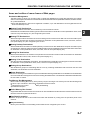
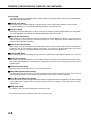
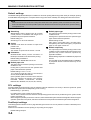
● Default settings ............................... Basic settings used in printing (See page 3-4.)
● PCL settings ................................... Sets a PCL symbol set. (See page 3-4.)
● PostScript settings* ......................... Sets whether a PostScript error page is printed or not when a PostScript error
has occurred. (See page 3-4.)
* An optional PS3 expansion kit is needed.
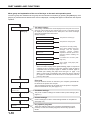
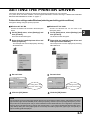
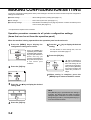
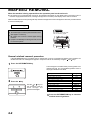
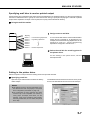
Operation procedure common to all printer configuration settings
(items that can be set from the operation panel)
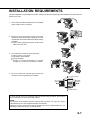
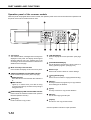
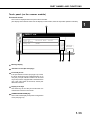
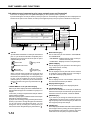
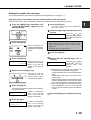
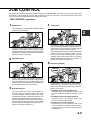
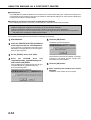
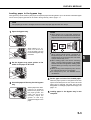
When the machine is being operated from the operation panel on the main unit:
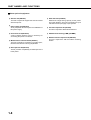
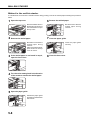
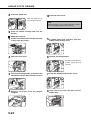
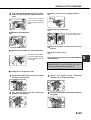
the [MENU] key to display the
1 Press
configuration setting menu screen.
Press the [MENU] key
repeatedly until “CONDITION SETTING” appears.
Any print jobs held in the
printer and any job
currently transmitted to
the printer will be printed
in the former print
conditions.
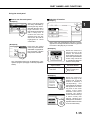
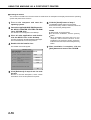
2 Press the [OK] key.
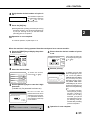
the
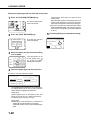
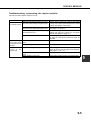
5 Press
setting.
or
key to display the desired
For the details of each setting item, see the
description on and after page 3-4.
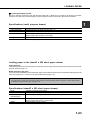
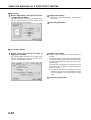
6 Press the [OK] key.
“ ” will be displayed to
the right of the selected
item and setting will be
registered. To set another
item, press the [BACK/C]
key to return to step 3 and
repeat the procedure to
step 6.
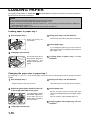
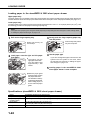
setting is complete, press the
7 When
[MENU] key to return to the basic screen.
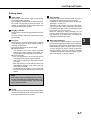
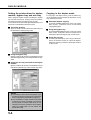
the or
3 Press
setting item.
key to display the desired
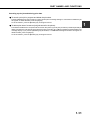
NOTE
If the [BACK/C] key is pressed after each setting is
complete, the display that has called the setting
will appear again. If selection of a number is mistaken
during setting operation, press the [BACK/C] key to
correct the selected number.
4 Press the [OK] key.
3-2