1
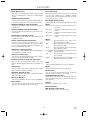
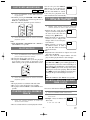
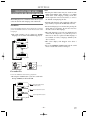
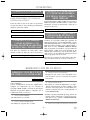
PARENTAL LOCK
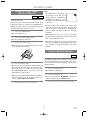
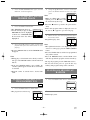
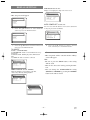
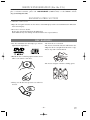
5 Press the SETUP button.
¡The setup mode will be canceled and the ordinary
1 Press the SETUP button in STOP mode.
screen will appear.
¡The setup screen will appear.
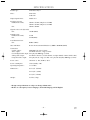
CONTROL LEVELS
SET-UP
¡All
Parental lock is cancelled.
1.LANGUAGE
2.DISPLAY
3.AUDIO
4.PARENTAL
¡Level 8
DVD software of any grade (adult/general/children)
can be played back.
2 Press the K/ L buttons to select Parental,
and then press the ENTER button.
¡Levels 7 to 2
Only DVD software intended for general use and
children can be played back.
SET-UP
¡Level 1
1.LANGUAGE
2.DISPLAY
3.AUDIO
4.PARENTAL
Only DVD software intended for children can be
played back, with those intended for adult and
general use prohibited.
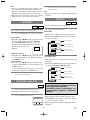
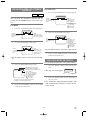
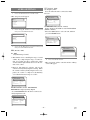
3 Press the numeric buttons to enter the 4digit password, and then press the ENTER
button.
Notes
¡With some DVDs, it may be difficult to find if they
are compatible with parental lock. Be sure to check
if the parental lock function operates in the way that
you have set.
¡When doing this for the first time, enter any 4 digits.
(except for 4737) That number will be used as the
password from the second time onward.
¡By entering the password, you can change the control level and password settings.
¡When CHANGE is selected, press the numeric buttons to enter the 4 digit password. Then press the
ENTER button.
¡Record the password in case you forget it.
IF YOU FORGET THE PASSWORD
1) Press the 4, 7, 3, 7 at step 3.
¡Password will be cleared and parental level will be
set ALL.
SET-UP
PARENTAL CONTROLS
2) Proceed the above steps 3-5 again.
PASSWORD
Please enter a 4-digit password.
----
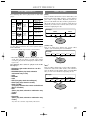
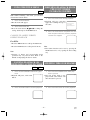
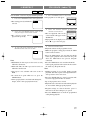
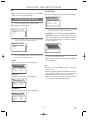
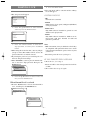
4 Press the K/ L buttons to select an item, and
then press the ENTER button.
When Parental Level is selected
¡Press the o/p buttons to select an item from All or
8 to 1, and then press the ENTER button.
SET-UP
PARENTAL CONTROLS
1.PARENTAL LEVEL
2.CHANGE
ALL
SET-UP
PARENTAL CONTROLS
PARENTAL LEVEL
ALL
8
7 [NC-17]
6 [R]
5
– 27 –
EN
9F21